My Experience with Nano Banana Pro: A Design Beast with a Catch
When I first heard about Nano Banana Pro🍌, I was intrigued and skeptical. The hype claimed it could make designers obsolete by creating stunning designs from a single command. So, I gave it a whirl, expecting magic. And yes, it produced jaw-dropping visuals with minimal input—what I’d call "monster-level" performance.
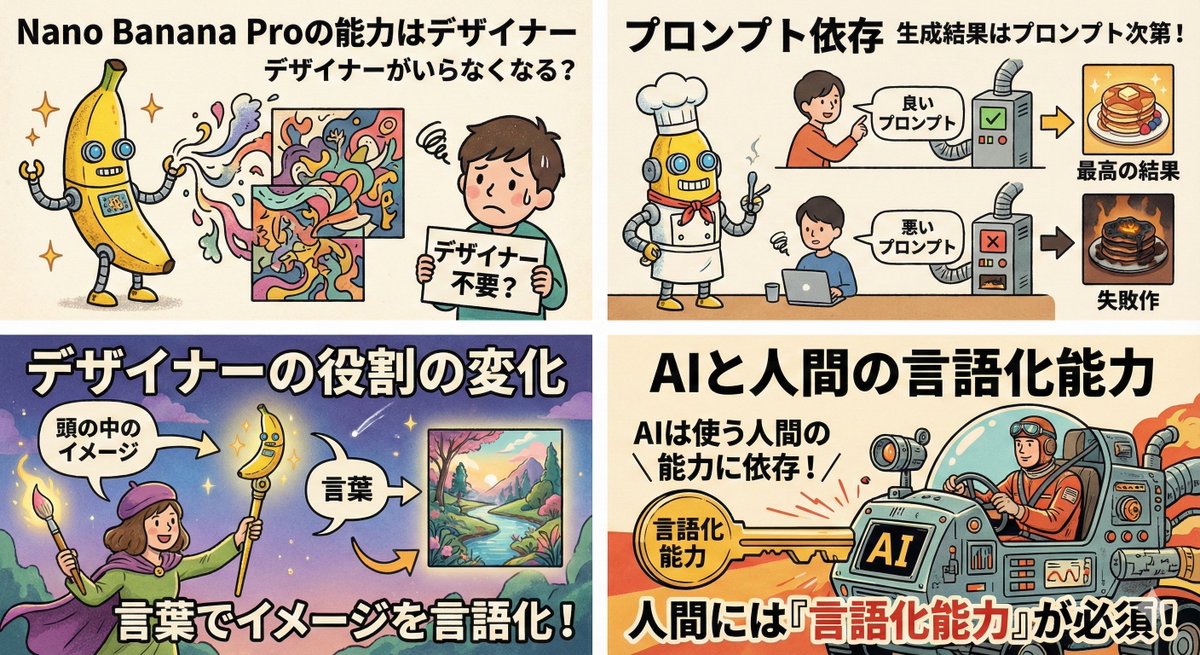
But this AI, as powerful as it is, revealed something crucial: it’s like having a genius assistant who’s brilliant but can’t read between the lines at all. If your instructions are vague or fuzzy, the output is just as foggy.
Here’s what I noticed:
- Summarizing your image idea in just three clear lines turns the AI into a design weapon.
- Precisely describing colors, textures, and the overall vibe lets you unlock limitless creative possibilities.
- Throwing in vague terms like "make it cute" results in garbage outputs.
- Handing off the entire creative process to AI without thoughtful input leads to half-baked results forever.
It’s clear: AI doesn’t replace designers who can think and communicate well—it just amplifies them. The new designer’s role is shifting from manual creation to mastering how to articulate visual ideas clearly and effectively.
Honestly, this is a game-changer. Anyone who can learn to speak the AI’s language can become a designer today. It’s not about innate talent or traditional skills anymore; it’s about translating your imagination into precise words.
So, when using AI tools like Nano Banana Pro, I focus on sharpening my language skills—breaking down visuals into simple, concrete phrases that the AI understands perfectly. This makes all the difference between a stunning image and a frustrating mess.
You can find the full prompt here: ✨Prompt✨
Tips for Using AI Image Generation Effectively
From my experience, here are some practical tips when working with text to image AI:
- Be concise but specific: Three clear lines explaining your idea work wonders.
- Describe mood and texture: Don’t just say "cute"—say "soft pastel colors with a dreamy glow".
- Iterate and refine: Adjust your prompt based on output to get closer to your vision.
- Don’t expect AI to fill gaps: It can’t guess your intent; you have to spell it out.
Mastering these will transform AI from a simple image generator into a creative partner.
For more on how to use prompt adjustments and discover common prompt mistakes, check out AI image generator, text to image, and AI art creator resources.