As someone who's been deep into Photoshop for years, diving into AI-assisted image creation felt like a natural next step. Recently, I experimented with Nano Banana Pro directly inside Adobe Photoshop, and honestly, it blew my expectations out of the water.
The process was surprisingly simple yet powerful. I divided my canvas into four equal parts, each containing a model's face and a prompt describing their outfit. Within just about 10 seconds, the AI generated four distinct images, each reflecting the outfit’s unique characteristics with matching color themes. The speed was impressive, but what really stood out was how seamlessly I could switch between AI-generated content and manual Photoshop editing.
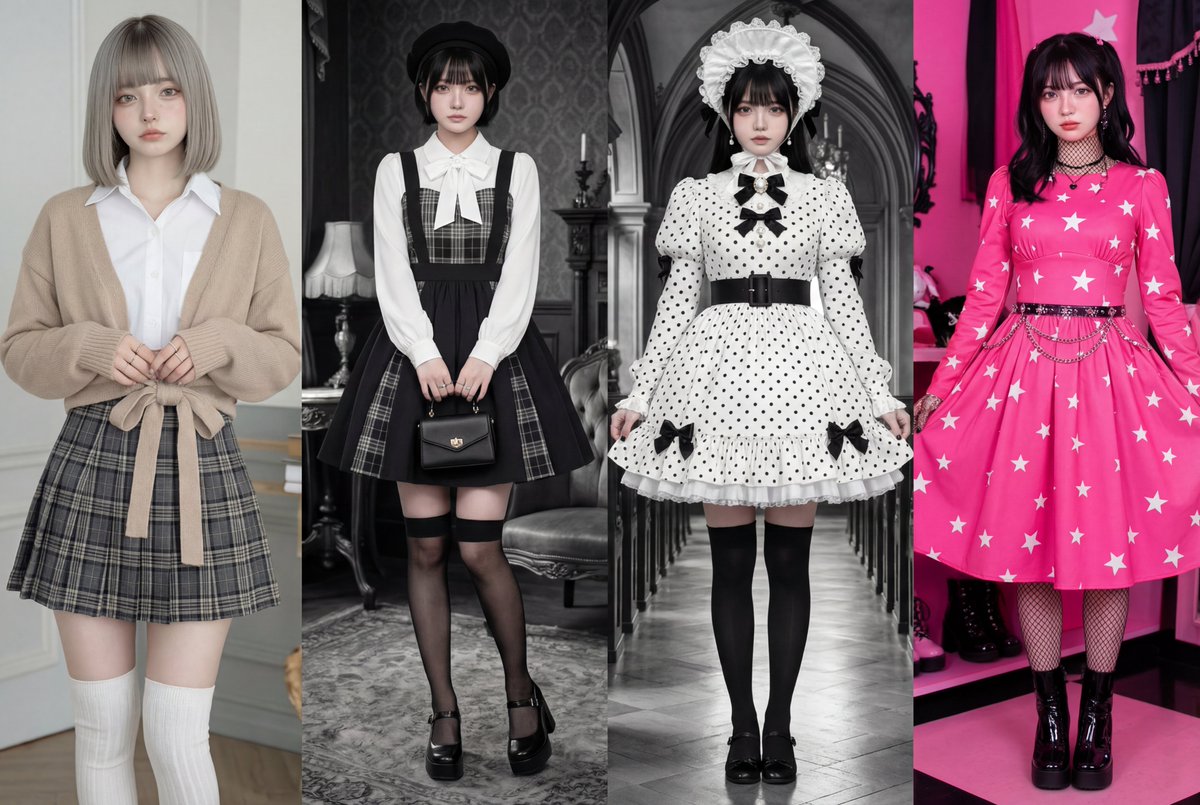

You can find the full prompt here: ✨Prompt✨
After generating the images, I upscaled them to preserve detail, then took it a step further by animating the results using Kling O1. The combination of AI generation and video editing opened a fresh realm of creative possibilities.
The best part about using Photoshop with AI tools like Nano Banana Pro is the freedom to refine AI’s output with hands-on edits. You’re not locked into what the AI produces; you can push and pull the images to fit your vision perfectly. For creatives who already love Photoshop, this hybrid workflow offers an incredible boost to productivity and creativity.
For anyone curious about text to image or image generation in Photoshop, this approach is a game changer. The trick is in balancing prompt precision with manual tweaks—learning how to adjust your AI prompts and knowing when to jump in with Photoshop’s tools makes all the difference.
If you want to explore more about how to use prompt adjustments effectively and avoid common prompt mistakes, I recommend checking out resources on AI art creator platforms. It’s fascinating how these tools are evolving and becoming a natural extension of traditional workflows.
For more inspiration and tools, visit AI image generator, and dive into text to image techniques that complement Photoshop perfectly.