Why I Tried the Nano Banana Pro Extreme Wide-Angle Edit
As someone who loves pushing visual boundaries, I wanted to see how AI could elevate simple portrait photos by adding a dramatic, dynamic feel—especially focusing on the phone screen interaction. The extreme_wide_angle_phone_edit prompt promised to keep the original person's identity and environment while introducing a powerful, stylish new pose with an exaggerated perspective.
You can find the full prompt here: ✨Prompt✨
What Changed Visually
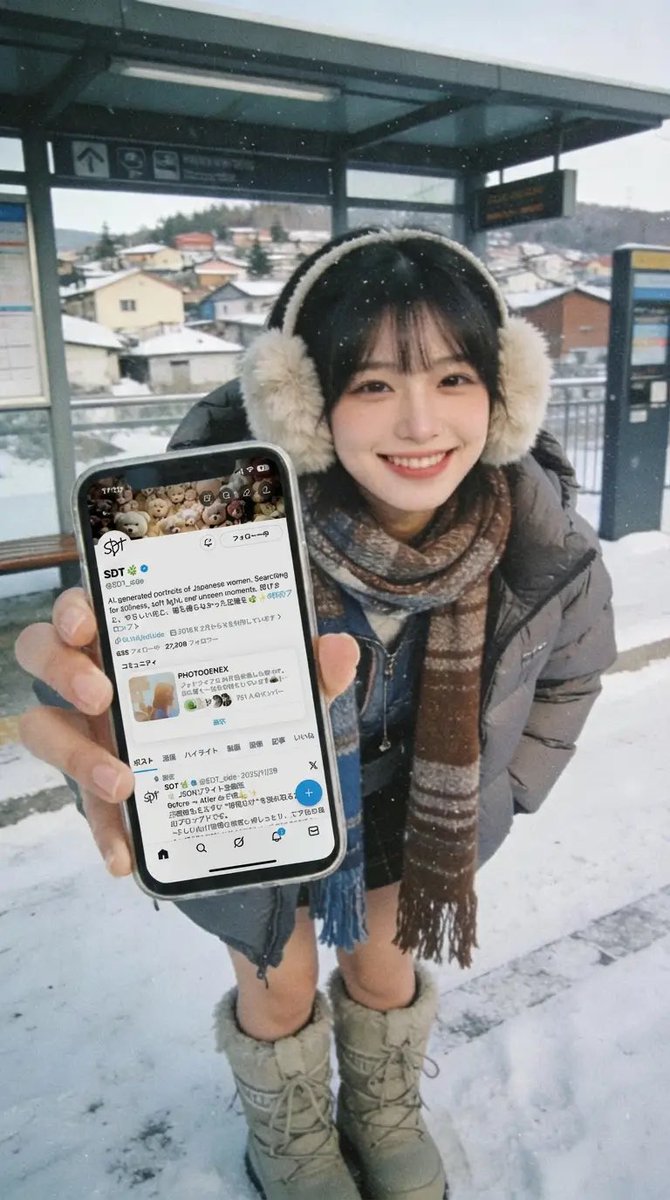
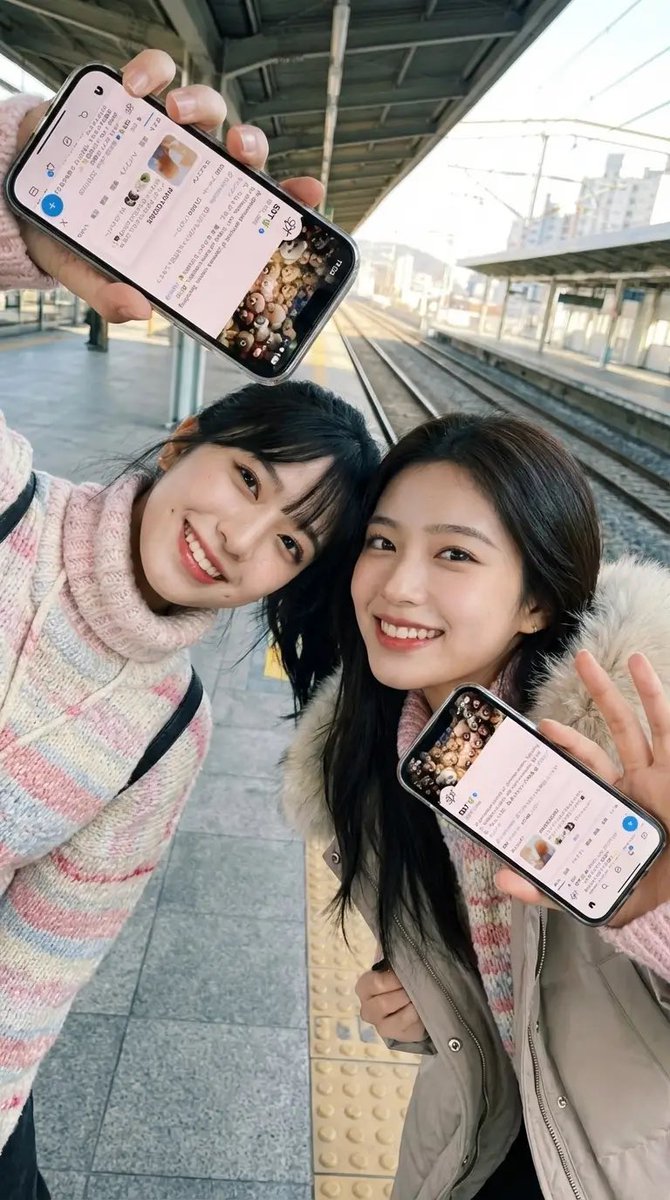
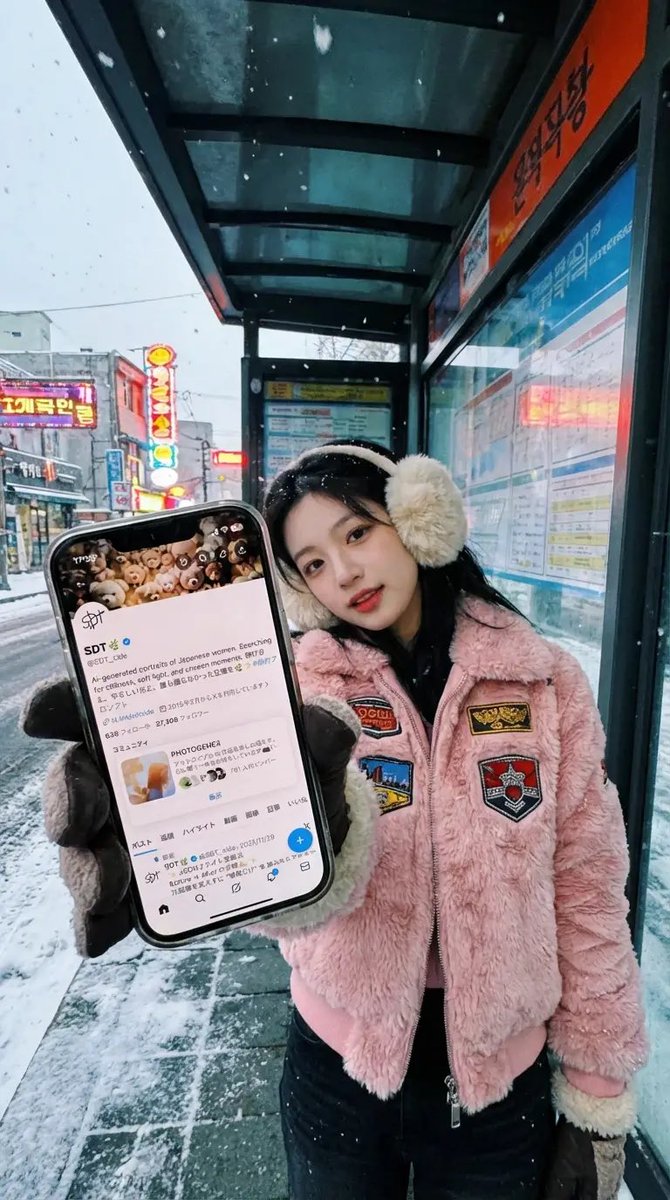
The AI preserved the face, hairstyle, and outfit perfectly, which made the resulting image feel authentic and recognizable. But instead of mimicking the original stance, it introduced a fresh, fluid pose emphasizing expressive hand movements holding a smartphone naturally. This approach avoided any awkward distortions, making the phone screen appear close and vivid, dramatically receding the background for a strong depth effect.
The phone is held casually—sometimes one-handed, sometimes two-handed, with subtle tilts or angles that avoid a forced “looking-into-the-lens” feel. The screen content was swapped seamlessly with another image I provided, free of any UI clutter or icons, giving a clean, natural display as if I was really looking at the phone.
Insights and Tips on Using This AI Prompt
- Keep identity consistent: The prompt’s insistence on preserving the person’s core features avoids uncanny edits and keeps the subject clearly recognizable.
- Embrace dynamic poses: Allowing the pose to change completely adds energy and freshness—especially when focusing on hand gestures near the lens.
- Leverage extreme wide-angle perspective: This exaggerates depth beautifully, making near objects large and distant objects recede, creating a compelling visual story.
- Natural phone holding matters: Rather than forcing the phone screen directly toward the camera, the prompt encourages relaxed, believable positioning that enhances immersion.
- Screen replacement without UI: Overlaying a clean image onto the phone screen without app frames or status bars keeps the focus on the content, which is perfect for showcasing designs or screenshots.
Final Thoughts
This prompt is a powerful tool for creators wanting to produce photorealistic images with a strong narrative punch, especially in social media or marketing visuals where the phone interaction is key. The balance between preserving identity and environment while adding stylistic freedom makes it versatile and exciting.
For those interested in AI-generated visuals, exploring AI image generator platforms to test similar prompts can really expand your creative toolkit. Using text to image with thoughtful prompt adjustments like these helps avoid common mistakes such as unnatural poses or distorted faces.
If you want to dive deeper into how to use prompt techniques for image generation, check out resources on AI art creator best practices and image generation tips.