Recently, I dove into an intriguing AI image generation experience that completely changed how I approach visual content creation. Using Google AI Studio's Nano Banana Pro, I transformed a simple selfie into a miniature, full-body, isometric, realistic figurine. The results were both surprising and inspiring.
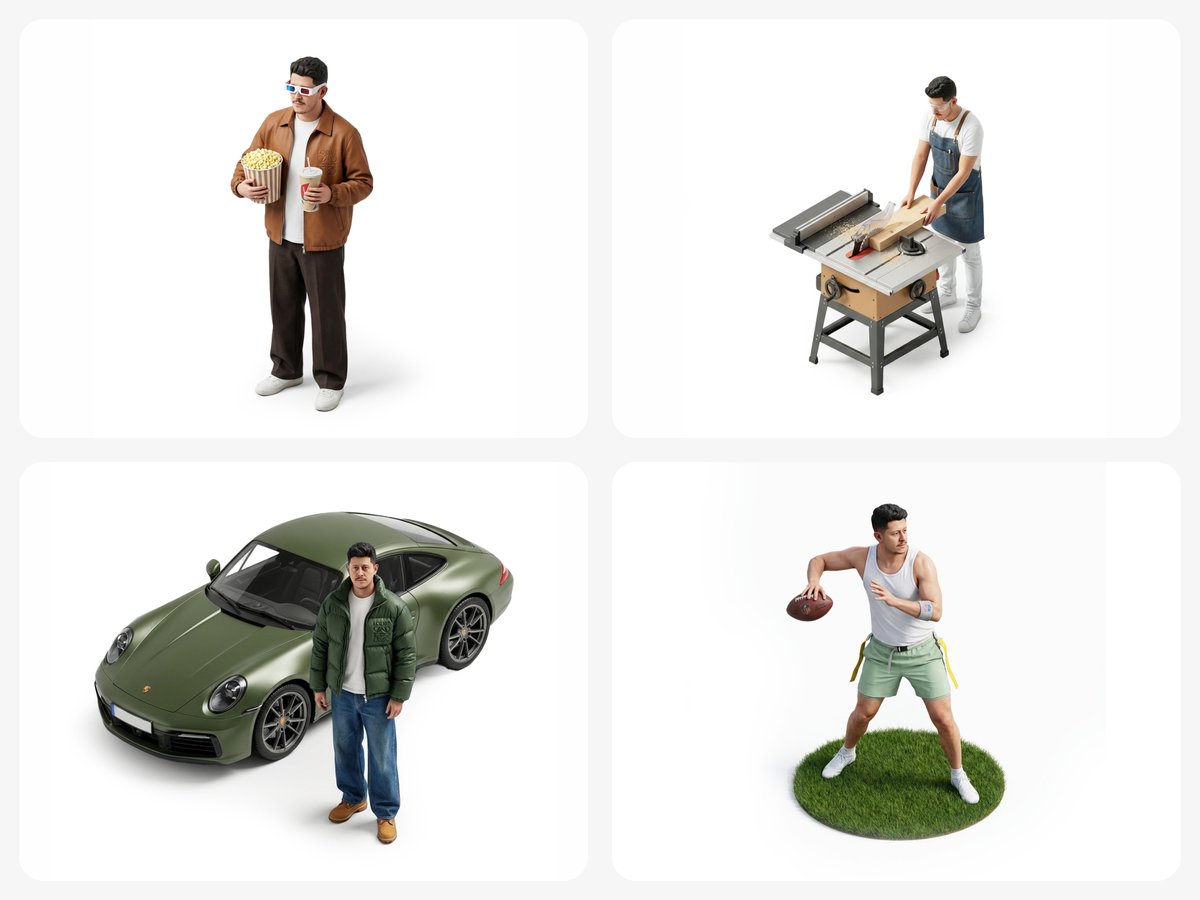
You can find the full prompt here: ✨Prompt✨
The process was refreshingly straightforward. After uploading my selfie, I used the prompt: "Make a miniature, full-body, isometric, realistic figurine of this person, wearing ABC, doing XYZ, on a white background, minimal, 4K resolution." This precise wording guided the AI to generate a crystal-clear figurine representation with an isometric perspective that felt both lifelike and artistically minimal.
Why This Prompt Stood Out
What I loved about this prompt is how it balanced detail with simplicity. Asking for a miniature figurine in 4K pushed the AI to focus on fine features and textures, while the white background and minimal style kept the image clean and versatile for various uses.
One key insight I discovered was how specifying the clothing ("wearing ABC") and the action ("doing XYZ") helped the AI add personality and context, making each creation unique rather than generic. This approach is a game-changer for creators seeking customized visuals without the need for complex photo shoots or expensive 3D modeling.
Visual Details That Made a Difference
- Isometric angle gave a playful yet professional 3D effect.
- Full-body representation captured a complete likeness rather than just a portrait.
- The realistic style preserved natural facial features, avoiding cartoonish exaggeration.
- Minimal white background made the subject stand out and simplified post-processing.
In my experience, adjusting prompts with clear descriptors like "realistic" and "4K resolution" is crucial to avoid blurry or overly stylized outputs. I also found that overloading the prompt with too many actions or accessories can confuse the AI, so keeping it focused works best.
Practical Takeaways for Creators
Whether you're a content creator, marketer, or hobbyist, this method offers a fresh way to generate eye-catching visuals quickly. It’s perfect for profile enhancements, social media posts, or even personalized merchandise mockups.
For anyone curious about text to image generation, this exercise highlights the importance of well-crafted AI prompts and how slight adjustments can drastically improve the output. If you want to explore image generation further, try experimenting with different outfits or poses in your prompts and see how the AI interprets subtle changes.
For more on AI art creation and image generation tips, check out this AI image generator resource and learn how to craft better prompts for your projects.
Overall, this experience with Google AI Studio’s Nano Banana Pro reminded me how AI tools are evolving to empower creators with effortless and highly customized visuals.
You can find the full prompt here: ✨Prompt✨