Capturing the Chill: My Experience with AI-Driven Product Shots
As someone who constantly experiments with AI for visual content, I wanted to push the boundaries by creating a hyper-realistic studio shot of a Coca-Cola can. The goal was to convey that refreshing, icy feeling that instantly connects with anyone craving a cold beverage.
The prompt I used described the can lying horizontally, slightly sunk into crushed ice and frosty snow. I specifically wanted the condensation droplets and thin frost to be so precise they felt tangible, with soft cinematic light highlighting the metallic red surface. The ice crystals had to look sharp and cool-toned, capturing that premium commercial beverage vibe.
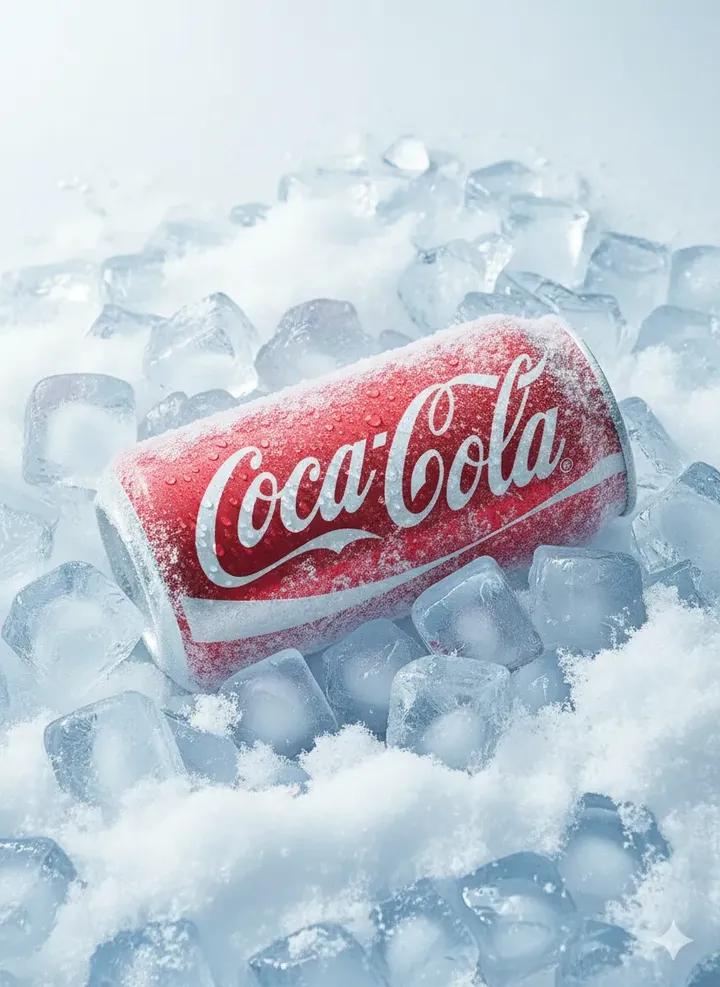
What blew me away was the level of detail in the 8K resolution output—every droplet and frost pattern was rendered with such clarity. The blue tones of the ice contrasted beautifully with the vibrant Coca-Cola red, making the product pop without any distracting text except the iconic logo.
Working with Google Nano Banana Pro combined with Kling AI really made this possible. The AI's ability to interpret subtle lighting nuances and texture details saved me hours of manual adjustments. It also helped me understand how prompt adjustments—like emphasizing "soft cinematic light" and "sharp ice crystals"—can dramatically influence the final image quality.
This project reinforced that using text to image AI isn’t just about generating pretty pictures; it’s about crafting visuals that tell a story and evoke a sensory response. For creators looking to elevate their product shots, focusing on prompt detail and lighting descriptions is key.
If you want to explore AI for your own product photography or commercial visuals, experimenting with prompt tweaks and understanding image generation tips can unlock incredible results.
You can find the full prompt here: ✨Prompt✨
For more inspiration and tools, check out these resources: AI image generator, text to image, and AI art creator.