How I Used Nano Banana Pro for a Virtual Kamakura Tour
One of the coolest experiences I recently had was using Nano Banana Pro to generate AI visuals based on specific latitude and longitude coordinates. The idea is simple yet powerful: by pinpointing a location on Google Maps and copying the exact latitude and longitude, you can prompt the AI to create images that reflect the local atmosphere, current time, and even real-time weather conditions of that spot.
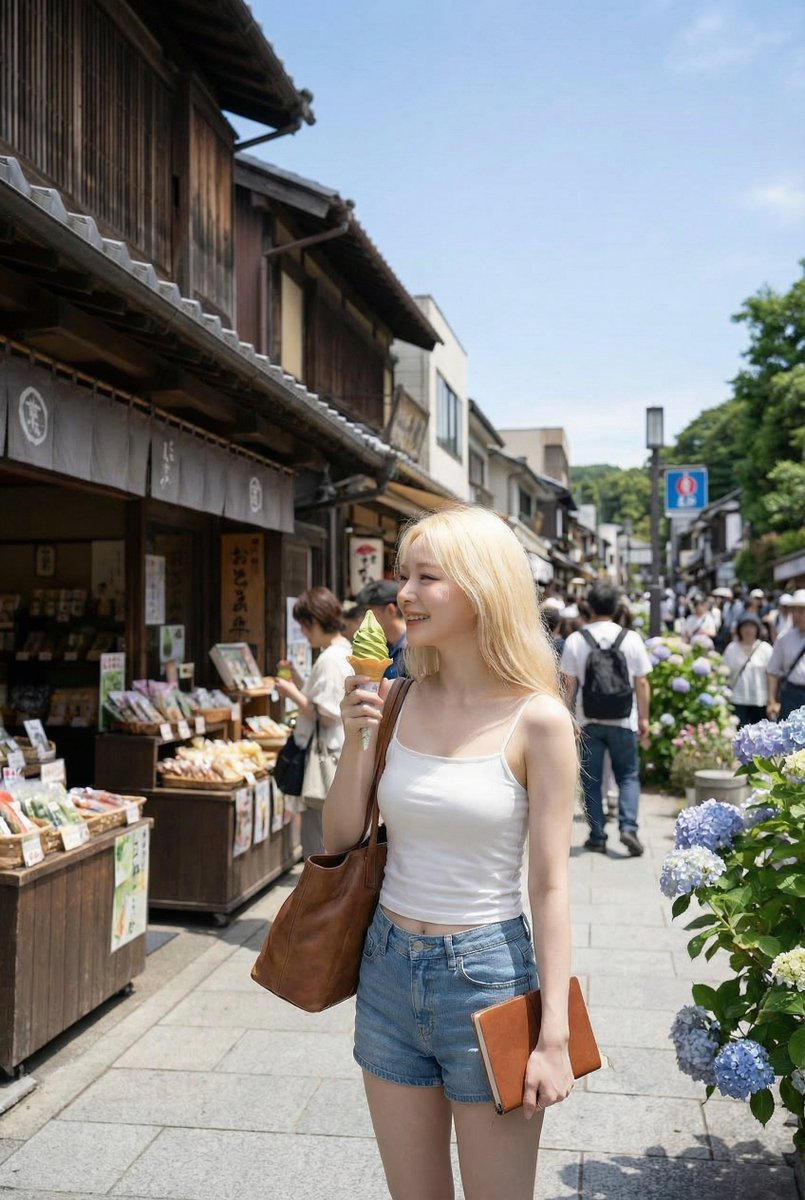
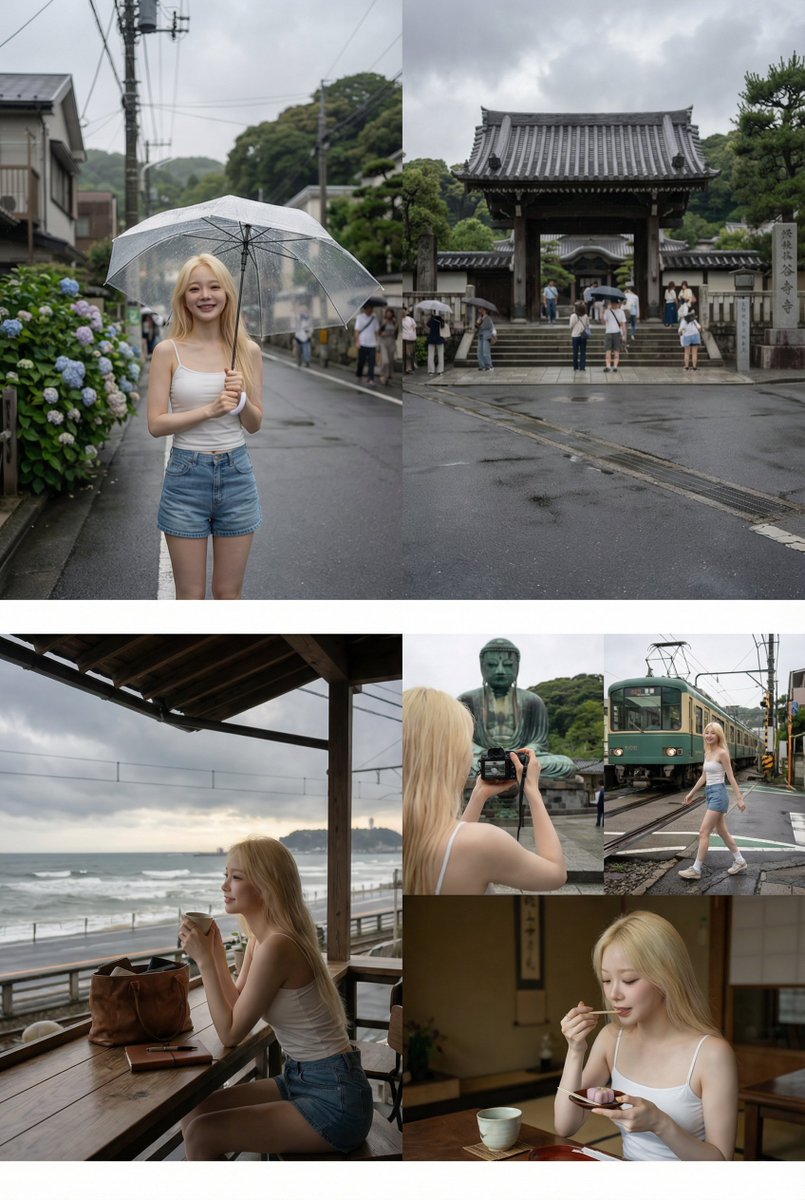
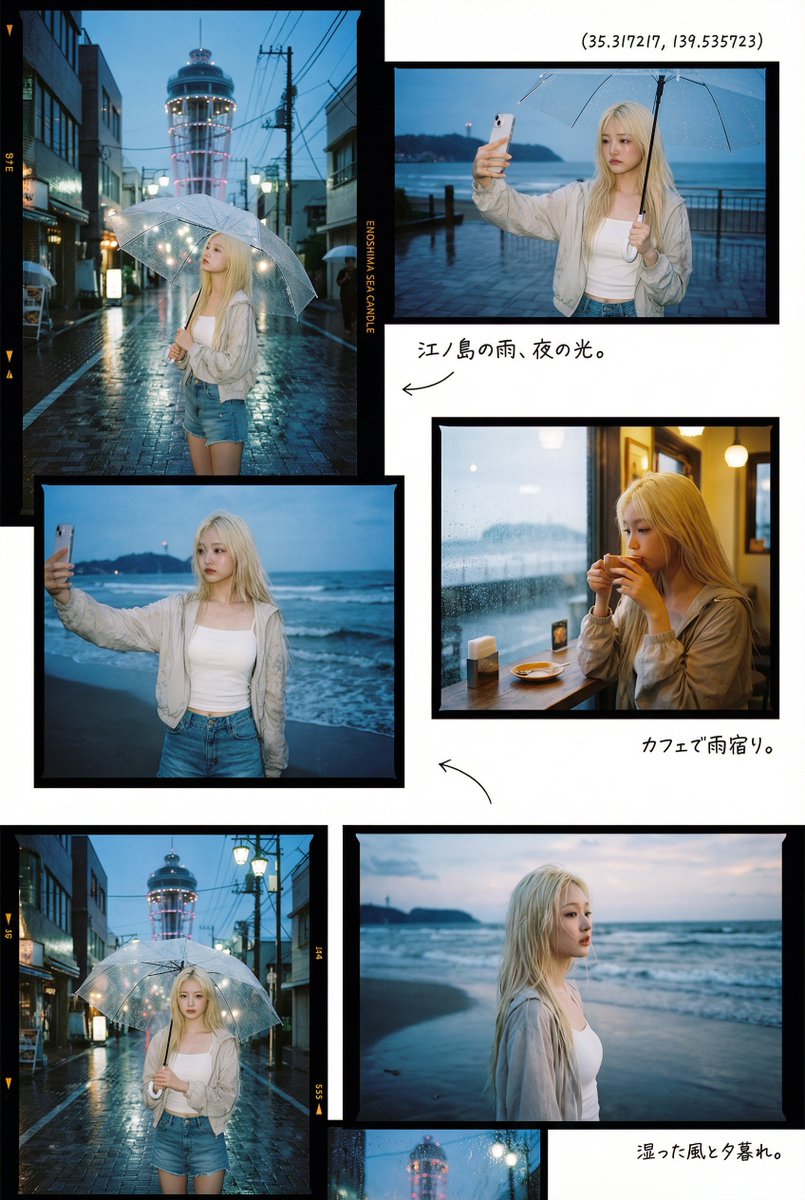
This time, I chose coordinates for a spot in Kamakura (35.31721720077321, 139.5357227423284), a place I've always wanted to explore. Instead of physically traveling, I let the AI craft a scene where a character blends seamlessly into the environment, capturing the mood and vibe perfectly.
The process was surprisingly straightforward. Using Google Maps, right-clicking on the desired location instantly gave me the latitude and longitude, which I just copied and pasted into the AI prompt. The prompt asked the AI to generate an image suited to the real-time weather and time of day at that place, making the result feel authentic and alive.
What Made the Experience Unique?
What struck me was how the AI didn’t just create a generic landscape but infused the character naturally into the scene, as if she were genuinely exploring the area. The lighting, weather effects, and local ambiance all harmonized, making the image feel more like a snapshot from a real trip rather than a generated picture.
It felt like a mini virtual vacation—especially exciting during times when travel isn’t always possible. This approach also opened my eyes to how specifying coordinates can lead to incredibly precise and mood-rich images, far beyond just typing a place name.
Tips for Using Latitude and Longitude in AI Prompts
- Use reliable map tools like Google Maps to get exact coordinates.
- Include details about local weather and time to enrich the scene's realism.
- Describe how the character should interact with the environment to avoid static or out-of-place results.
- Experiment with photo book style layouts for visual storytelling if creating multiple images.
"Nano Banana Pro turned a simple coordinate into a vivid, immersive tour experience I could revisit anytime."
If you’re curious about creating your own location-based AI art, this method offers a fresh way to explore the world visually. Whether for storytelling, content creation, or just fun, it’s a fantastic use-case for text to image technology.
You can find the full prompt here: ✨Prompt✨
Explore more about AI image generator and dive into the world of text to image creation. If you want to enhance your visuals, check out tools for AI art creator and advanced image generation.