Discovering the Risograph Effect in AI Icon Creation
As someone who’s always on the lookout for fresh visual styles, I recently experimented with the word "risograph" in my AI prompts. The result? A surprisingly tactile and vibrant texture that made my icons pop in a way digital designs often can’t replicate.
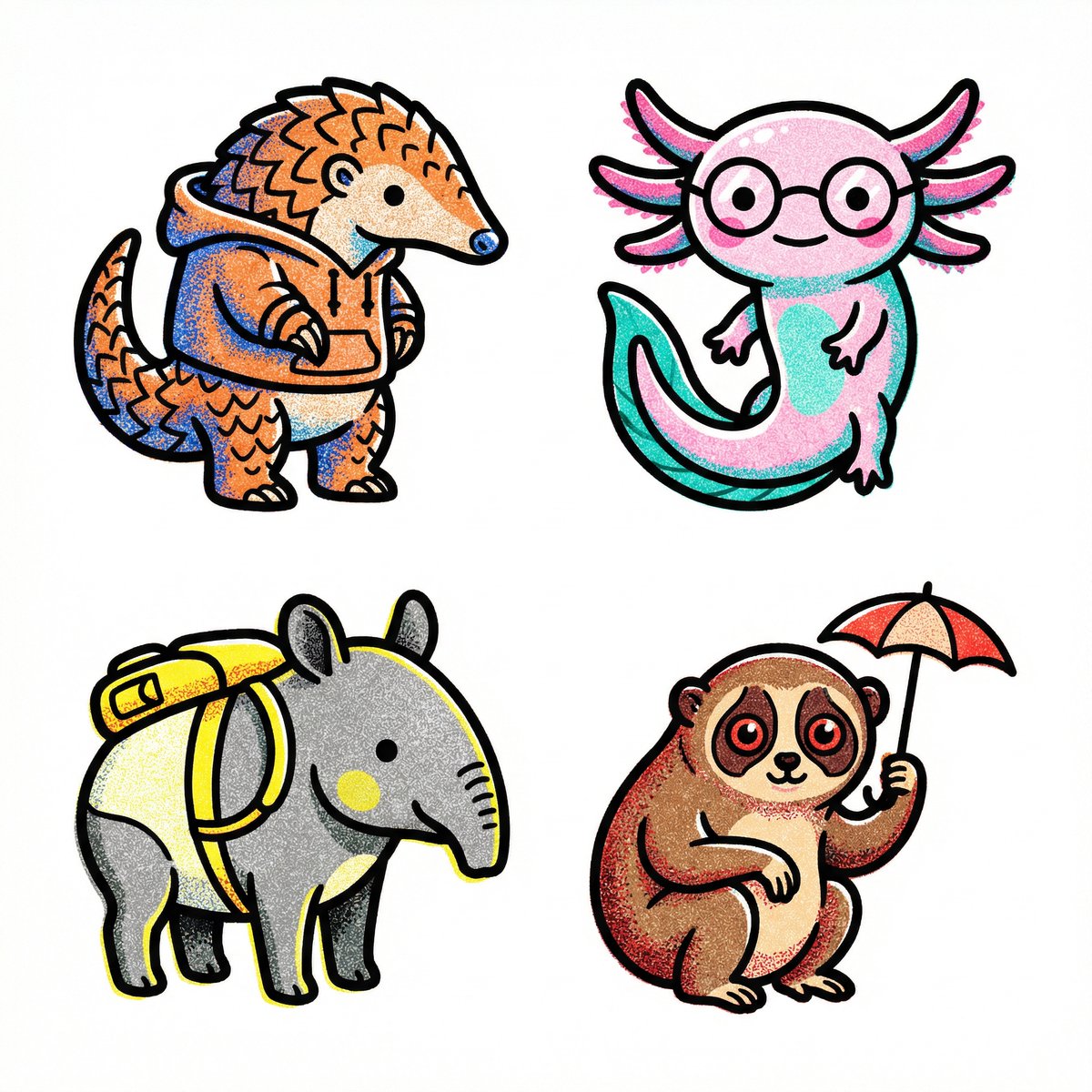
The prompt was simple yet specific: create a 2x2 grid of icons belonging to a single theme, with pure white backgrounds, thick black outlines, and no color distortion. The twist was to make them look like risograph prints—known for their stochastic stippling and sand-like noise patterns within color fills. I chose the theme "cute but weird animals (that are real)," aiming for a playful but authentic vibe.
The AI nailed it. Each icon felt like it belonged together as a cohesive set, with vibrant colors that weren’t faded or washed out. The subtle texture created by the risograph effect added an organic, hand-printed feel, making the digital images much more engaging.
Why Risograph Works So Well for Icons
Risograph printing is beloved in print communities for its layering of colors, slight imperfections, and grainy textures. Translating that into AI-generated images brought a new dimension to my iconography. Instead of flat, overly smooth digital colors, the stippling and noise patterns gave the icons depth and personality.
For creators looking to add character to their visuals, sprinkling "risograph" into your AI prompt is a subtle but powerful trick. It encourages the AI to introduce texture, contrast, and a handmade aesthetic without compromising clarity or vibrancy.
Tips and Lessons Learned
- Use a pure white background to keep icons clean and focused.
- Specify "thick black outlines" for distinct separation and boldness.
- Ask for "stochastic stippling and sand-like noise" to get that authentic risograph texture.
- Be clear about no text and no color distortion to preserve the look.
- Choosing a unique theme like "cute but weird animals" makes the icons more memorable.
Incorporating risograph into AI prompts isn’t just a style choice; it’s a way to elevate the feeling of handcrafted art in digital creations.
You can find the full prompt here: ✨Prompt✨
For those curious about expanding their AI-generated visuals, exploring AI image generator tools with text to image capabilities is a great start. Learning how to use prompt adjustments like adding "risograph" can make all the difference when working with an AI art creator. Dive deeper into image generation techniques to refine your craft.