Capturing Authenticity with AI Image Generators
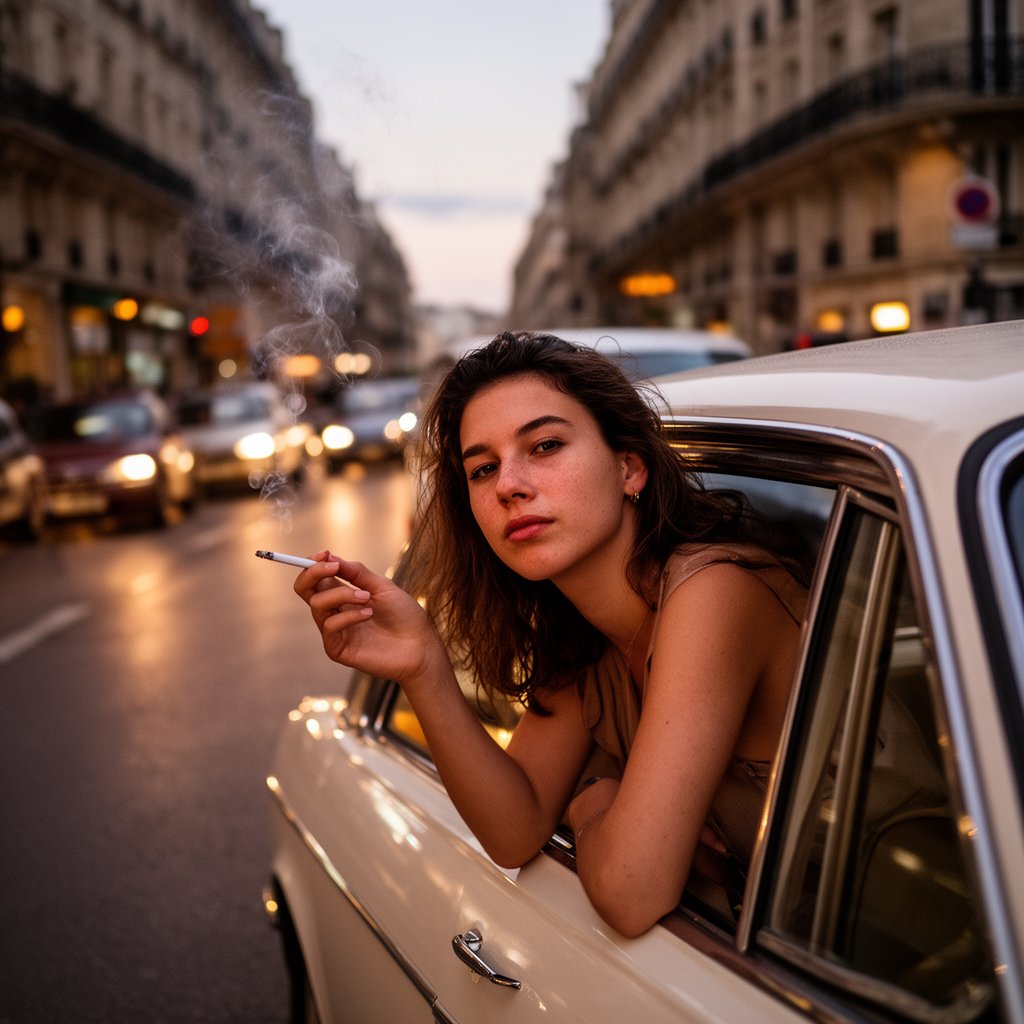
When I first tried the prompt featuring a young woman casually leaning out of a vintage car window on a lively European street at dusk, I was curious how two popular AI models—Nano Banana Pro (NB Pro) and Seedream 4.5 (SD 4.5)—would interpret the scene. The goal was to capture that authentic, cinematic feel reminiscent of candid iPhone photography in RAW, with warm twilight lighting, natural skin texture, and subtle motion blur in the background.
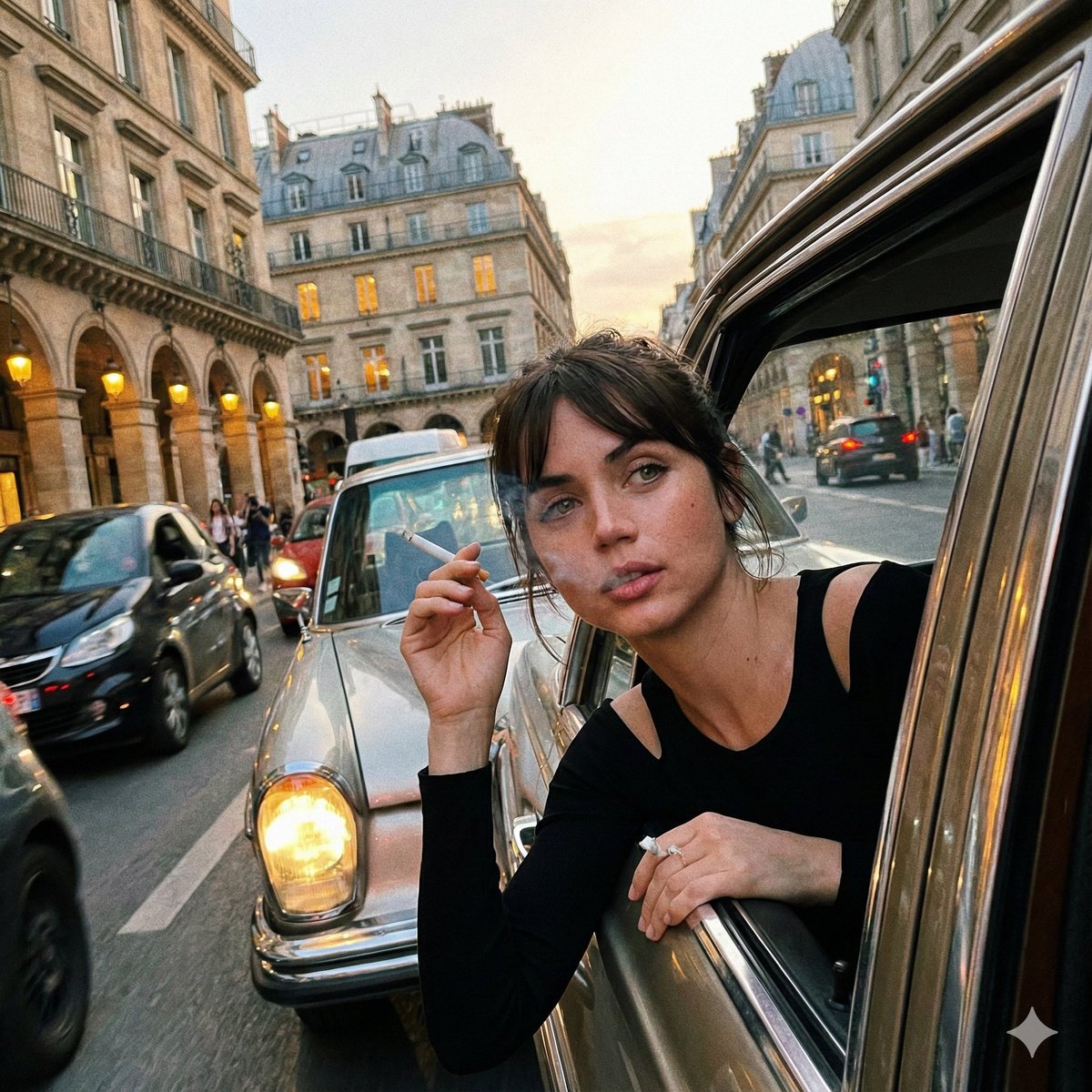
The left image, generated by NB Pro, delivered a strikingly detailed face with nuanced skin textures and a soft glow from the twilight. The cigarette’s smoke curl felt delicate and natural. The urban background, though slightly blurred, maintained enough detail to evoke a real street vibe without distracting from the subject. The casual tilt and framing gave it an intimate, spontaneous energy.
On the right, SD 4.5’s output also impressed with sharpness and authentic lighting but created a slightly more polished, less gritty feel. The motion blur in the traffic and architecture was smoother, enhancing the sense of movement but sacrificing some rawness. The skin texture was softer, which may appeal more to users seeking a cinematic yet clean look.
Both AI image generators excelled in handling the complex prompt elements like natural twilight and motion blur, but their subtle differences shaped how I’d use them for future projects. NB Pro felt more grounded and raw, perfect for storytelling that leans into realism and texture. Seedream 4.5 brought a refined cinematic quality, ideal for polished editorial visuals.
Working with this prompt taught me the importance of prompt adjustments—emphasizing details like "authentic skin texture" or "natural twilight" can significantly influence how an AI model prioritizes elements. Also, the accidental tilt in framing added to the candid mood, reminding me that not every image needs perfect symmetry to feel genuine.
If you’re exploring text to image AI tools, trying similar side-by-side comparisons can reveal which model best suits your style. And don’t hesitate to play with prompt tweaks to fine-tune the balance between sharpness, blur, and lighting.
You can find the full prompt here: ✨Prompt✨
For more insights on AI image generator workflows, including how to use prompt techniques and avoid common mistakes, check out related articles on image generation and AI art creator platforms.