Upscaling Skin Texture with Nano Banana Pro and Seedream 4.5
I’ve always been fascinated by how AI tools can enhance images, especially when it comes to skin texture. Recently, I experimented with Nano Banana Pro and Seedream 4.5 to upscale skin quality, and the results genuinely surprised me. Rather than relying solely on dedicated tools or complicated prompts, a simple trick of uploading a high-quality reference skin texture alongside the model image transformed the outcome.
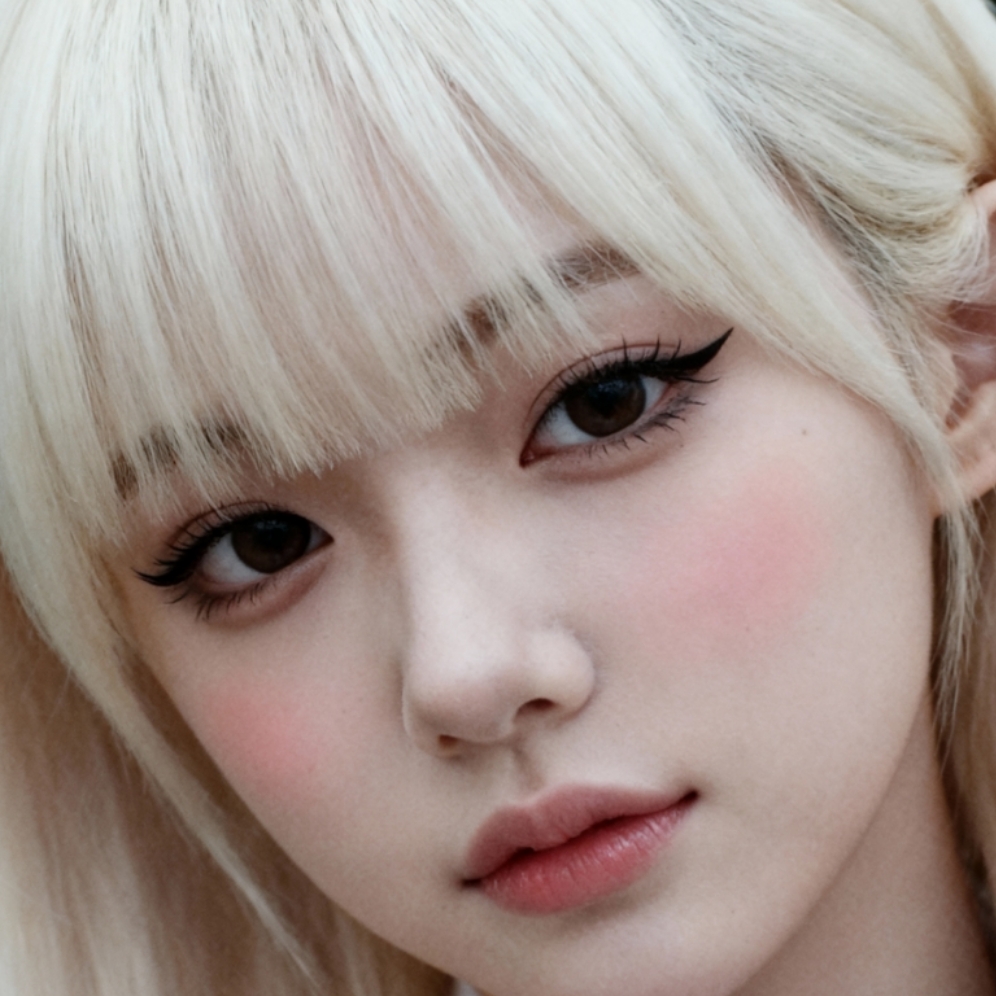
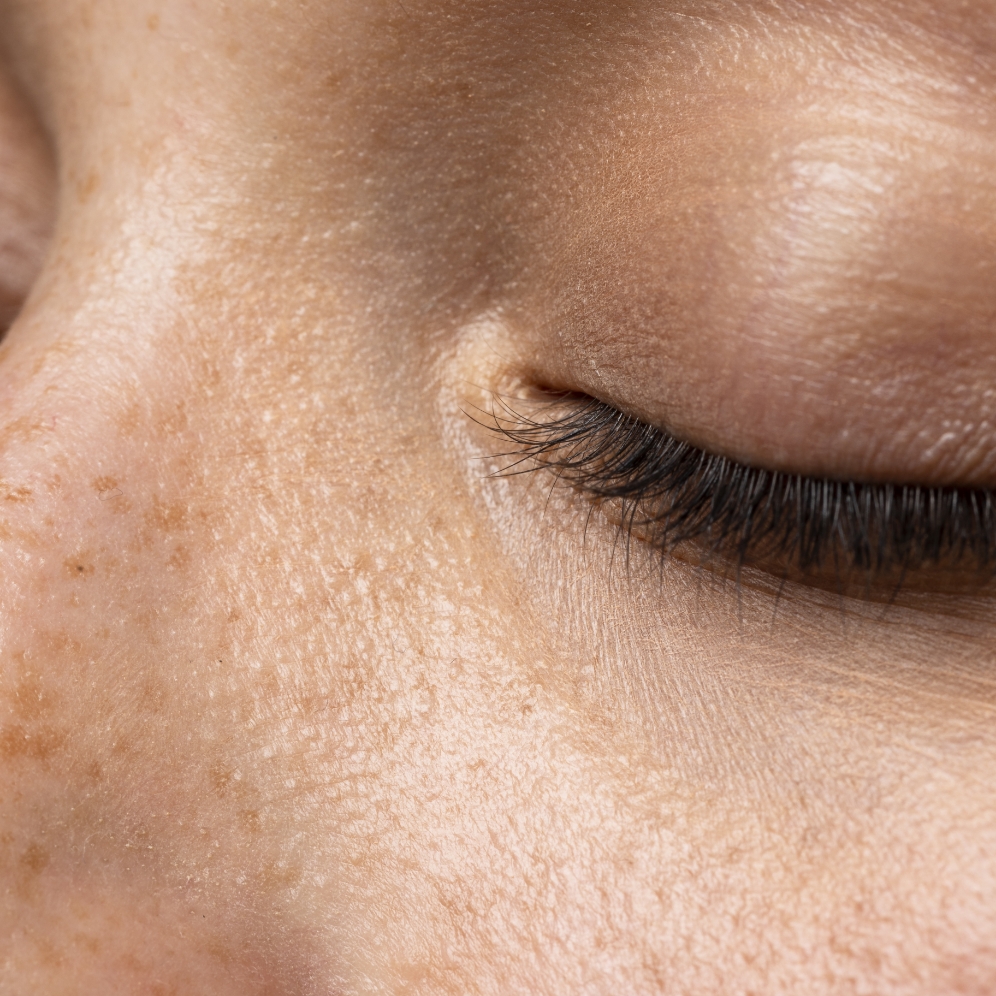
The process was straightforward: I used a model image with visible skin imperfections (like spots) and paired it with a clean, high-resolution skin texture as a reference. This allowed the AI to understand exactly what kind of skin quality I wanted to achieve. It’s a subtle but powerful approach that goes beyond just increasing resolution.
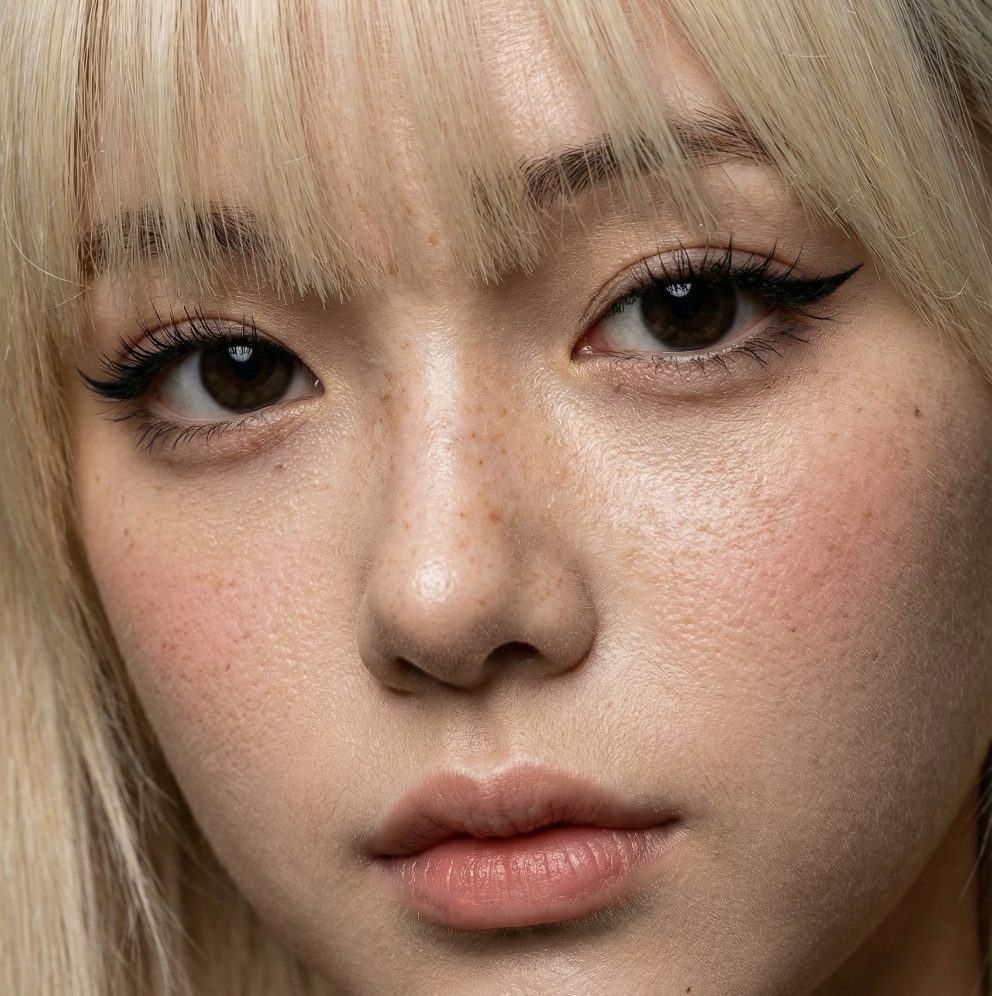
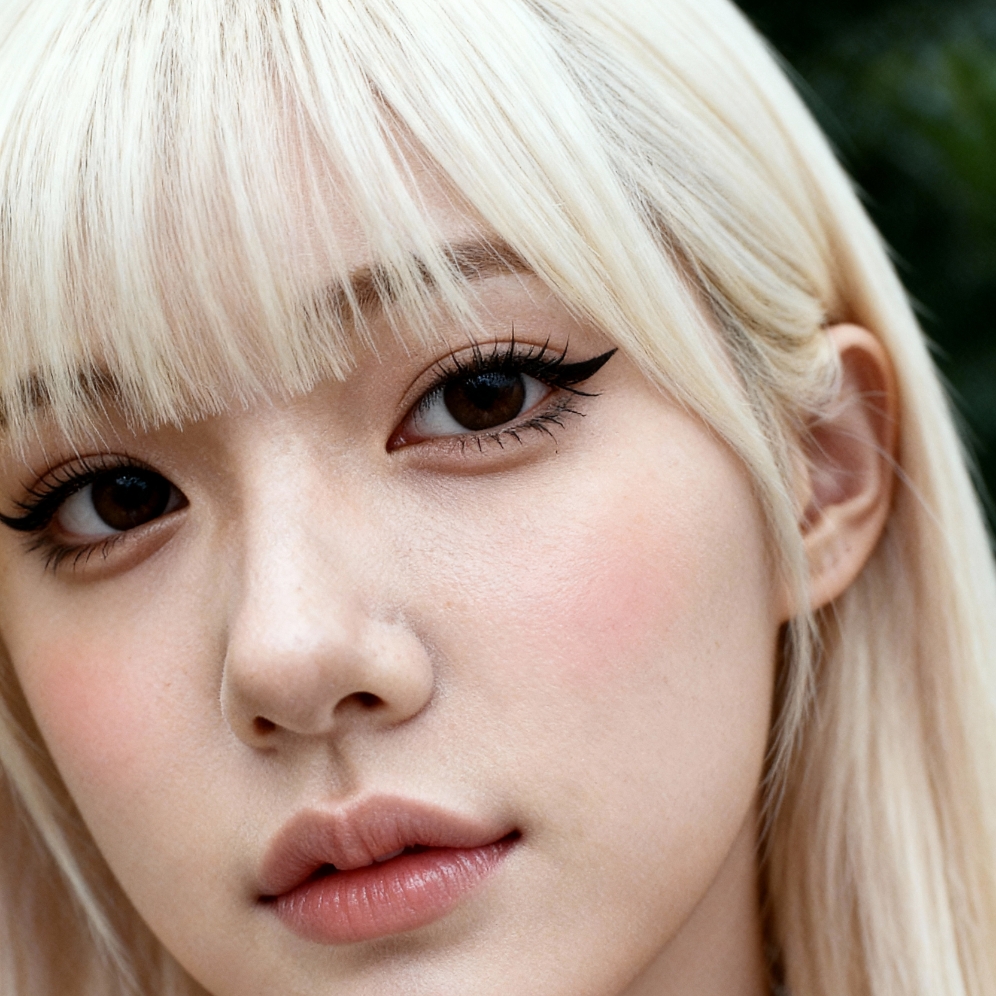
What stood out was how Nano Banana Pro and Seedream 4.5 handled the skin texture differently. Nano Banana Pro strictly followed the reference skin, delivering a faithful and crisp result. Seedream 4.5, on the other hand, leaned more towards preserving the original image’s character, offering a natural but less exact skin match. Depending on your creative needs, you can pick either tool to suit your style.
Here’s the prompt I used to guide the upscaling: "Upscale the character in the first image to the resolution of the second image, focusing closely enough to reveal skin texture." The first image was the original, the second was the high-res skin reference, followed by the outputs from Nano Banana Pro and Seedream 4.5 respectively.
Why this matters
In visual content creation, achieving the right skin texture can be the difference between a generic image and one that feels lifelike and polished. This method offers a simple way to get that nuanced detail without complicated editing.
For creators interested in image generation, this experiment highlights how prompt adjustments and reference images can elevate AI upscaling beyond just resolution bumps. It’s a neat hack to keep in your toolkit when using AI art creators or text to image generators.
You can find the full prompt here: ✨Prompt✨
Explore more about AI image generator, text to image, and AI art creator tools to enhance your visual projects.