Discovering Ultra-Modern Transparent Black Hyperrealism
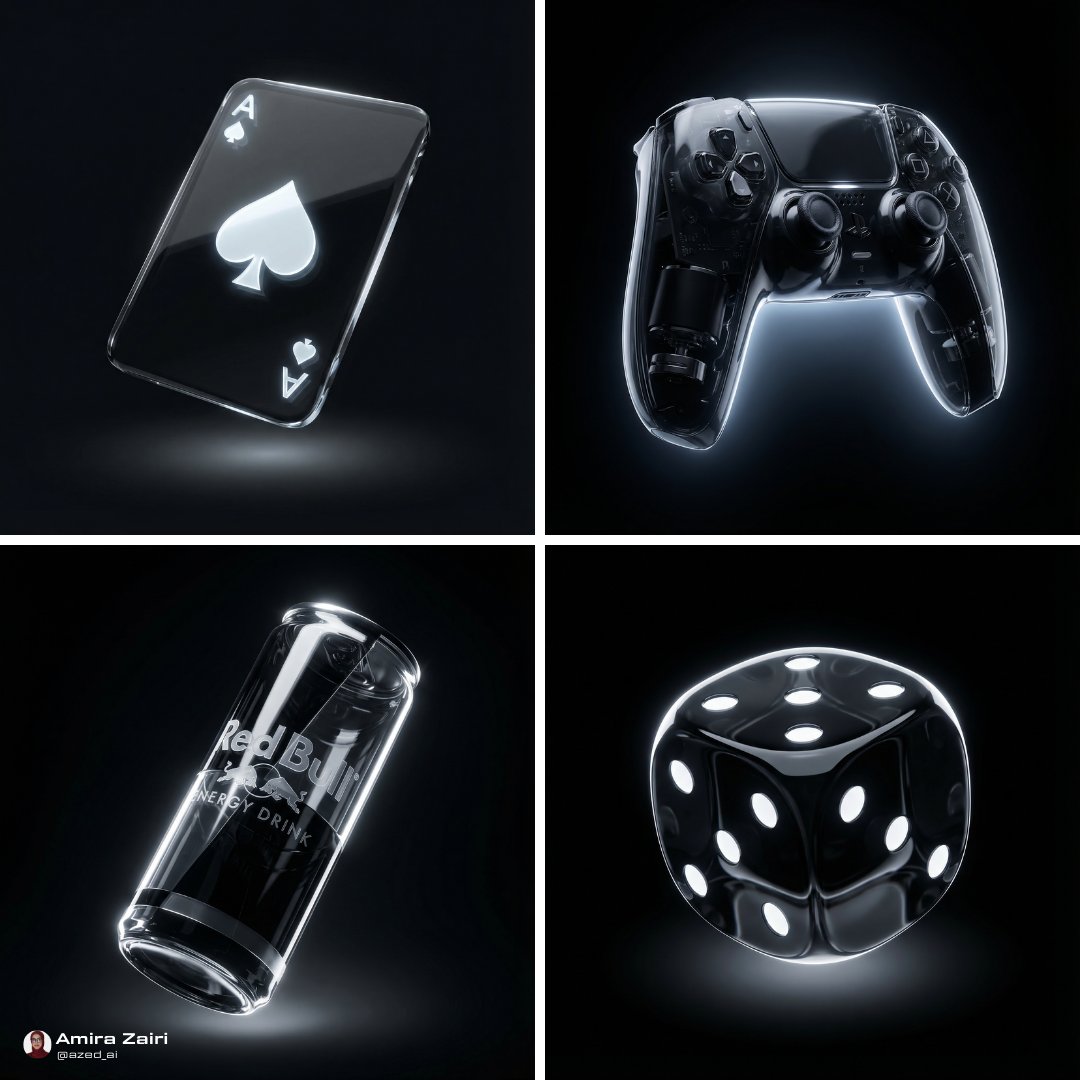
When I first decided to dive into creating glossy black objects using AI, I was drawn to a style that felt both futuristic and minimalistic. The prompt I used focused on ultra-modern transparent black hyperrealism, which meant crafting objects that looked sleek and almost otherworldly — floating forms made of high-gloss transparent black glass or polymer.
The moment I saw the first renders, I was hooked. The objects had this incredible smooth, curved texture with partial internal reflections that added depth. The lighting was key: rim lights and directional top light created sharp specular highlights that made the surfaces pop against a pure dark void background.
You can find the full prompt here: ✨Prompt✨
The Visual Language and Material Magic
This style’s visual language is all about minimalism combined with futuristic vibes. The floating design gave the objects a sense of weightlessness, while the high-gloss transparency made them luminous yet mysterious. The dominant colors were shades of black (#000000, #0d0d0d, #1a1a1a) paired with subtle white and gray accents, creating very high contrast that made every curve and reflection stand out.
One thing I learned quickly was how important the lighting setup is for image generation. Using rim and directional lights intensified the reflections and added soft, diffuse shadows underneath, which enhanced the volumetric floating effect. This approach brought the 3D hyperrealistic style to life in ultra-high resolution.
Insights and Tips for Using This Prompt
- Focus on lighting: Rim lights and directional top lighting are essential for creating those sharp highlights and internal reflections.
- Material details matter: Aim for a smooth, curved texture with high-gloss finishes to bring out the transparent black glass feel.
- Background choice: A pure dark void keeps the focus on the object and enhances the luminous effect.
- Color palette: Stick to very dark tones with light accents for dramatic contrast.
- Prompt adjustments: Experiment with the intensity of reflections and shadow softness to fine-tune the floating sensation.
While crafting these visuals, I realized that even small prompt tweaks can drastically change the mood and realism of the object. Avoid overcomplicating the texture or lighting settings, as simplicity here actually amplifies the futuristic feel.
If you want to explore similar projects, consider using an AI image generator focused on text to image workflows. These tools make it straightforward to iterate and refine your ideas quickly.
Overall, this experience taught me how powerful AI prompts can be when you combine a clear visual language with precise material and lighting descriptions. It’s a fantastic way to push creative boundaries and explore new aesthetics in digital art.
For more inspiration and practical insights on AI art creation, check out other AI art creator resources and start experimenting with your own ultra-modern designs.