Discovering Hyper-Realism in AI-Generated K-Pop Portraits
Recently, I dived into creating hyper-realistic images of a female K-pop idol using an AI text-to-image tool, inspired by a prompt that felt like a photographer’s dream. The setup was cinematic: a three-quarter view of an idol standing on a sunlit cafe patio, shot with specs mimicking a Sony A7R IV and an 85mm f/1.8 lens. This wasn’t just a casual snapshot; it was about capturing the subtle beauty of light, fabric, and textures with masterful detail.

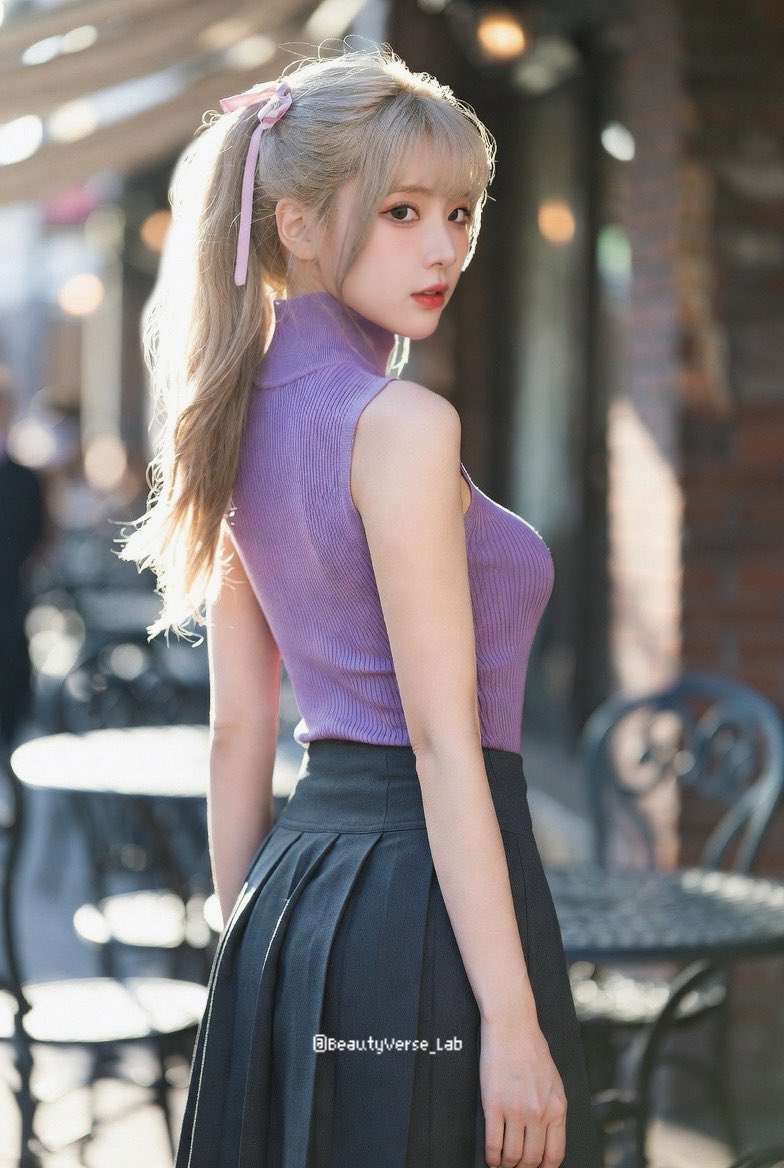
The magic started with the lighting—soft golden hour sunlight casting volumetric glows across a weathered brick backdrop and blurred wrought-iron tables. The shallow depth of field created creamy bokeh that made the subject pop dramatically. What really stood out was the ultra-detailed representation of the idol’s features: long light blonde hair tied up in a high ponytail with a delicate pink ribbon, each hair strand rendered with visible texture. Her skin wasn’t just smooth but showed subtle pores and a faint natural blush, which added to the realism.
I found the outfit details fascinating. The lavender sleeveless high-neck top, made of finely ribbed knit fabric, showed realistic folds and fabric weight, perfectly tucked into a charcoal grey pleated skirt. The skirt’s pleats had that natural flow and heaviness you’d expect from quality cloth. The highlight was the sheer black pantyhose—rendered with 15-denier transparency that allowed for subtle skin tones underneath, paired with glossy black pointed-toe heels that reflected the sunlight beautifully.
Working with such a precise and descriptive AI prompt taught me a lot about image generation tips and prompt adjustments. For example, including lens details and fabric textures elevated the output from a generic portrait to a masterwork of hyper-realism. It’s a reminder that how you word your prompt can make all the difference in AI art creation.
If you’re curious about trying this style or want to push your AI art creator to new heights, I recommend experimenting with similar cinematic, texture-focused prompts. It’s a rewarding way to explore the intersection of photography and AI-driven creativity.
You can find the full prompt here: ✨Prompt✨
For more on how to use prompt details effectively, check out AI image generator and text to image resources. These sites offer great insights into image generation and prompt crafting that really help refine your creative process.