Recently, I experimented with an AI image prompt to generate a healthy, stylish portrait inspired by the popular Korean sweet & cool aesthetic. Using Nano Pro, I uploaded a photo of my girlfriend as a reference and refined the prompt to achieve a fresh, polished look reminiscent of K-pop idol magazine shoots.
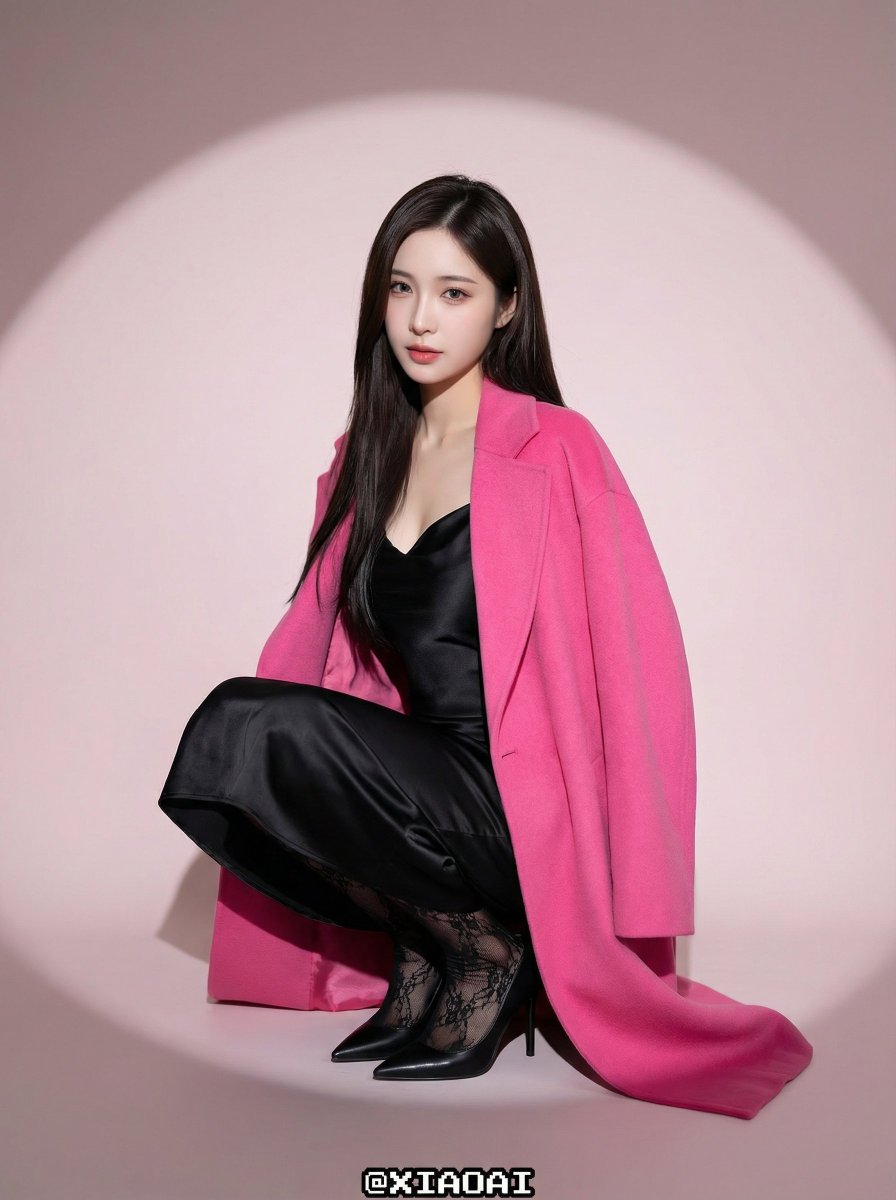
The final image features a striking blend of vibrant hot pink and jet black—her oversized coat in magenta pops against the subtle misty pink background. This high-contrast palette really amplifies the visual impact, infusing the portrait with both energy and sophistication. The studio lighting setup, with a softbox frontal fill and circular spotlights, created a flawless face illumination and a dreamy vignette that draws the eye to her poised crouching pose.
What I loved most was how the textures came through—the wool felt of the coat, the satin sheen of the slip dress, and the delicate lace stockings added layers of tactile realism. Her long, straight black hair with airy bangs and the Korean-style makeup—highlighting blush and sharp eyeliner—completed the chic and alluring vibe.
Post-processing was subtle but essential: beauty retouching smoothed the porcelain skin with a matte finish and enhanced facial features without losing natural texture. The image’s sharpness and clean digital feel made every detail—from the glossy hair to the pixel-art style watermark @XIAOAI at the bottom center—stand out crisply.
This experience taught me valuable image generation tips, especially about balancing color contrast and lighting to evoke mood. Tweaking the prompt to maintain a healthy, natural tone was key, avoiding over-saturation or harsh shadows. For creators exploring AI art creator tools, this approach highlights how careful prompt adjustments can elevate your visuals dramatically.
You can find the full prompt here: ✨Prompt✨
If you want to try similar styles, focus on these elements:
- Use a soft, dreamy background color like pale rose for a delicate mood.
- Incorporate bold fashion colors such as hot pink and jet black for high visual contrast.
- Choose studio lighting setups with softboxes and spotlights to create polished, flattering illumination.
- Pay attention to textures—mix fabrics like wool, satin, and lace to add depth.
- Refine the AI prompt to preserve natural skin tones and avoid excessive digital grain.
For more insights on text to image techniques and how to use prompts effectively, exploring Nano Pro’s capabilities is a great start. It’s amazing how AI tools can help us craft visuals that feel both trendy and authentic.