Recently, I dove into creating a multi-panel editorial collage inspired by urban streetwear but with a twist—melding retro analog textures with modern digital overlays. The goal was to evoke a warm, nostalgic mood using a palette of ambers, muted browns, and soft greys while capturing the tactile feel of materials like wool plaid and polished leather.
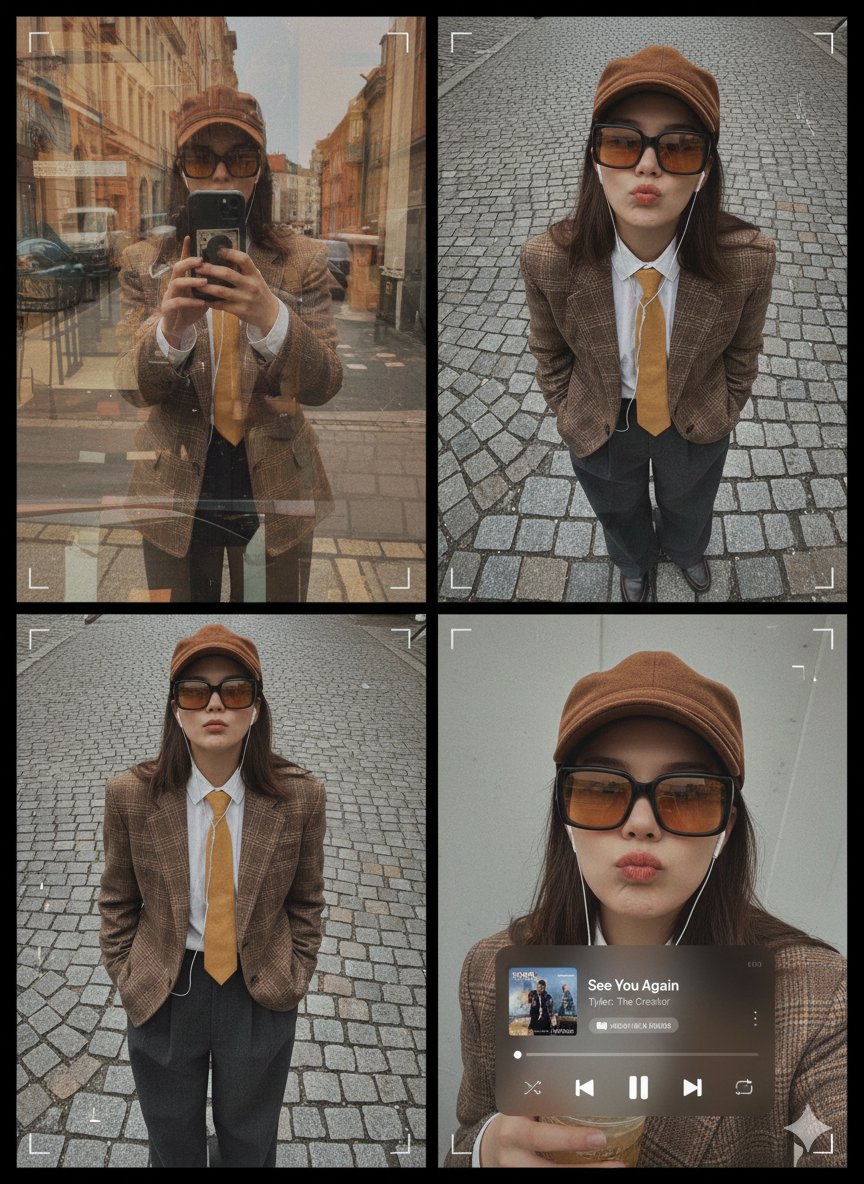
What made this project unique was balancing the layered ghosting and architectural distortions in the reflective window shot with a close-range ultra-wide portrait that emphasized the cobblestone street’s texture. The subtle curvature distortion and radiating cobblestones gave the visuals a dynamic yet grounded energy. In the bottom frame, an intimate overhead selfie held softly under overcast lighting added a personal touch, enhanced with faint digital grids and minimal facial bounding graphics to maintain that analog–digital fusion.
Visual Details That Made a Difference
The outfit was carefully chosen to complement the environment and mood—a brown plaid blazer paired with a white button-up and a yellow tie, accented by an oversized amber-tinted rectangular sunglasses and a brown cap. Wired earphones added a subtle tech touch without breaking the retro vibe.
One of my favorite elements was the translucent iOS-style Apple Music mini-player UI featuring “See You Again” by Tyler, The Creator. It seamlessly blended into the collage without overpowering the visuals, thanks to its minimalistic design and lack of shadows. I also included subtle cursor-like frame lines and rectangular highlights to guide the eye without clutter.
Lessons From the Prompt
Working with this AI prompt taught me the importance of negative constraints. Avoiding stickers, extra subjects, wardrobe changes, or neon sci-fi elements helped keep the collage cohesive and authentic to the retro streetwear editorial style I was aiming for. The prompt’s clear instructions on textures and color palettes made it easier to direct the AI toward a specific aesthetic, but layering effects and framing required multiple adjustments to avoid unwanted distortions.
For anyone using AI image generators to create editorial collages, I recommend focusing on the balance between analog textures and digital overlays. Prompt adjustments like specifying lighting conditions and avoiding futuristic elements can keep the output grounded while still visually engaging.
You can find the full prompt here: ✨Prompt✨
Explore more about text to image and how to refine your AI art creator workflows for better image generation results.