Capturing Emotion in a Rainy Cinematic Storyboard
Recently, I dove into creating a 9-panel cinematic storyboard featuring a rainy, melancholic atmosphere using the Gemini Nano Banana Pro. The goal was to tell a subtle yet emotional story of a young woman left standing beneath ancient stone arches as a man walks away into the rain. This prompt pushed me to explore how lighting and composition can deeply affect narrative impact.
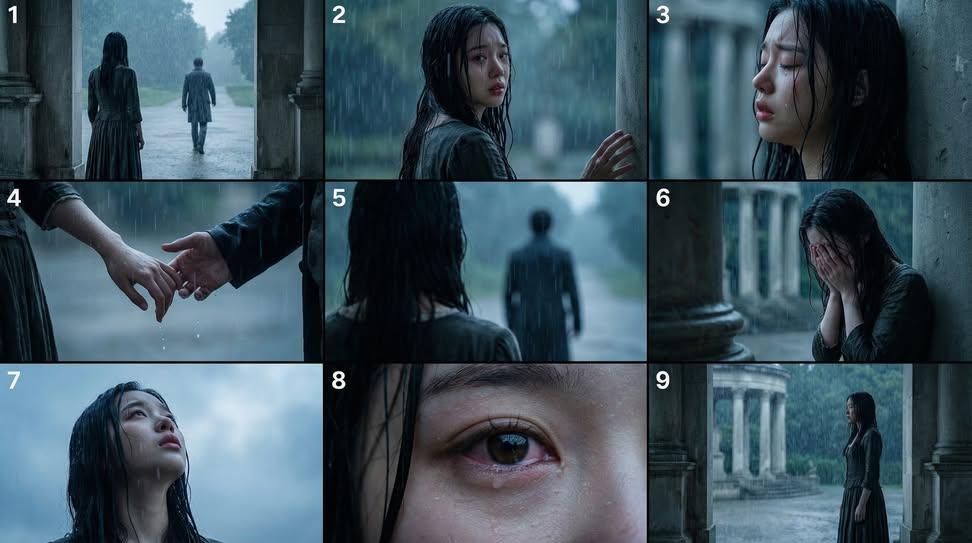
You can find the full prompt here: ✨Prompt✨
The Gemini Nano Banana Pro’s precise control over lighting was key to achieving the soft, moody ambience. I dialed in blue-gray tones to evoke a cold, somber mood, while playing with shallow depth of field to isolate the woman’s emotional expressions. Close-ups of her tear-streaked face and the moment their hands parted were particularly powerful, emphasizing vulnerability and loss.
What really stood out was how the dramatic raindrops added texture and rhythm to the scene. The rain wasn’t just background; it felt like a character itself—tumbling, relentless, and poetic. Using the soft lighting to highlight these droplets created a cinematic sheen that felt almost tactile.
One challenge was balancing the darkness of the stone arches with the need for clarity in her expressions. Adjusting the prompt to include subtle rim lighting helped separate her from the shadows without losing the moody vibe. This kind of prompt adjustment is a great tip when working with AI image generators to ensure key details aren’t lost.
Overall, this storyboard felt less like a static sequence and more like a short film in frames. It’s a reminder that when crafting text to image prompts, focusing on emotional beats and visual storytelling can transform generated images into deeply resonant art.
For others looking to create similar moods, I recommend experimenting with lighting styles and color palettes early on, then refining the prompt to emphasize emotional highlights. Avoid overly complex scenes; simplicity paired with atmospheric details often yields the most cinematic results.
If you’re curious about how to use prompt adjustments or want to learn about common prompt mistakes, exploring resources on AI art creator platforms can be incredibly helpful.