Discovering Levitation in Product Photography
When I first tried creating levitation-style product images, I was drawn to the idea of making everyday items float effortlessly in mid-air. The challenge was to convey motion and elegance simultaneously, which led me to experiment with motion blur on trailing elements and the subtle use of soft shadows to ground the objects without losing the illusion of suspension.
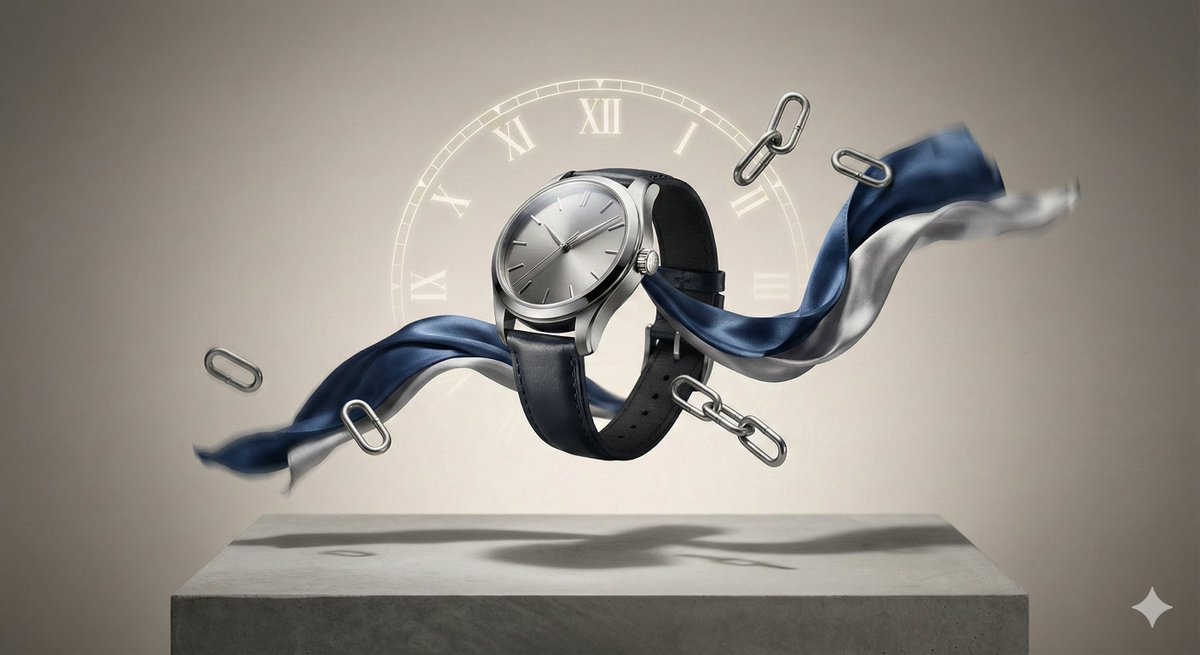


Using cinematic three-point lighting gave the images a polished, editorial fashion-magazine feel that elevated the product beyond a simple catalog shot. The lighting sculpted the shapes delicately, balancing highlights and shadows to emphasize texture and form while maintaining a dreamy atmosphere.
Why Motion Blur and Floating Props Matter
Adding motion blur to certain elements helped capture the fleeting nature of movement, turning static product photos into dynamic visual stories. Supporting props, also suspended alongside the main product, contributed to a storytelling vibe that felt "suspended-from-the-moment." This approach invites viewers to pause and imagine the story behind the product.
The key was anchoring everything with soft shadows below, which added realism without breaking the floating illusion. It’s a subtle trick that makes a huge difference in making the composition believable and visually captivating.
Practical Tips for Your Own Levitation Shots
- Experiment with three-point lighting to highlight products while keeping a cinematic mood.
- Use motion blur selectively on trailing elements to imply movement without cluttering the frame.
- Incorporate props that complement the main product but don’t overpower it.
- Apply soft shadows beneath floating items to ground them subtly and maintain realism.
For those diving into AI image generation, adjusting your AI prompt to specify lighting style and motion effects can take your visuals from static to cinematic. Avoid common mistakes like overusing motion blur or neglecting shadow placement, which can break the illusion.
You can find the full prompt here: ✨Prompt✨
Explore more about text to image tools and how to use prompt adjustments to refine your creations with an AI art creator.