Bringing Lay’s Chips to Life with Cinematic Flair
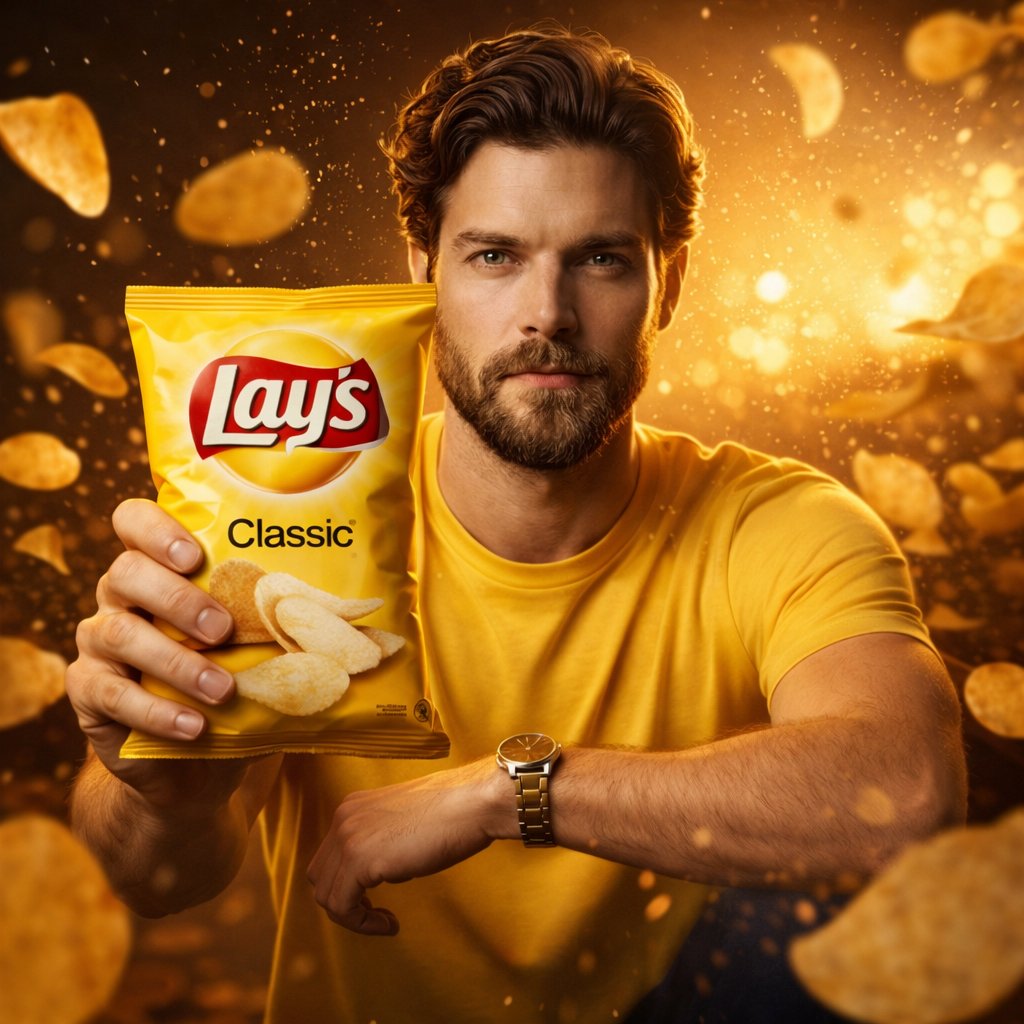
Recently, I dived into creating an ultra-realistic advertising shot inspired by Lay’s chips packaging. The goal was to capture not just the product, but the entire mood and flavor story in a single frame. This wasn’t just about snapping a photo—it was about telling a visual story that feels premium, stylish, and true to Lay’s iconic brand.

You can find the full prompt here: ✨Prompt✨
What really stood out was how the man’s entire look was crafted to mirror the Lay’s packet’s color palette and vibe. His outfit wasn’t an afterthought—it matched the flavor theme perfectly, whether it was the fiery reds of a masala flavor or the cool greens of sour cream. This careful styling brought a natural confidence to his pose, making the packet the undeniable star in sharp focus, while the background and lighting danced around it in harmony.
The slow-motion chips floating midair, complete with seasoning particles caught in motion blur, added a dynamic energy you don’t often get in typical product shots. The golden-hour lighting cast dramatic shadows and rich highlights, enhancing the textures on the packet and the man’s outfit, while the soft bokeh background kept the attention firmly on the product.
This experience taught me how critical it is to think beyond just the subject and incorporate environment, lighting, and color harmony. For anyone experimenting with text to image AI or commercial food photography, focusing on these details can elevate your visuals from flat to cinematic.
If you’re exploring AI prompt crafting, watch out for common mistakes like mismatched color themes or ignoring motion effects that bring scenes alive. Adjusting your prompts to include mood-driven environments and specific lighting directions can make a huge difference in output quality.
For more inspiration and tools, check out these resources: AI image generator, text to image, and AI art creator.