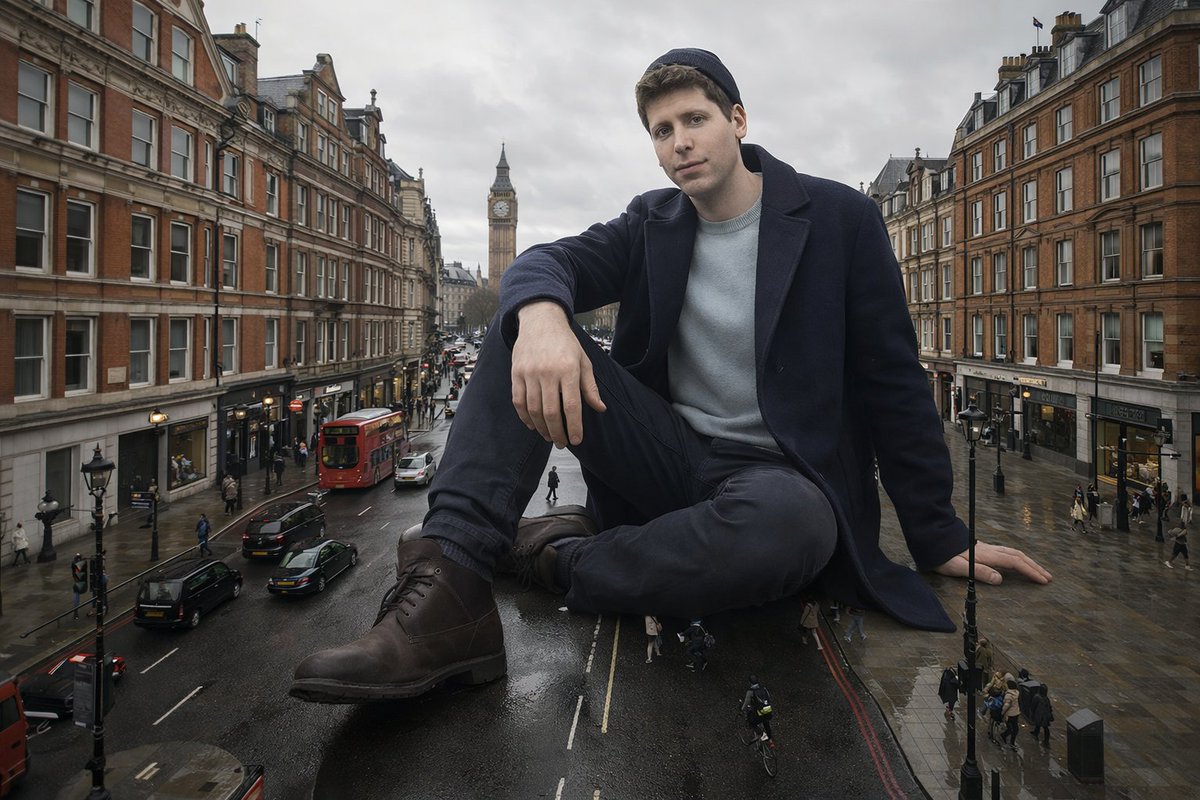
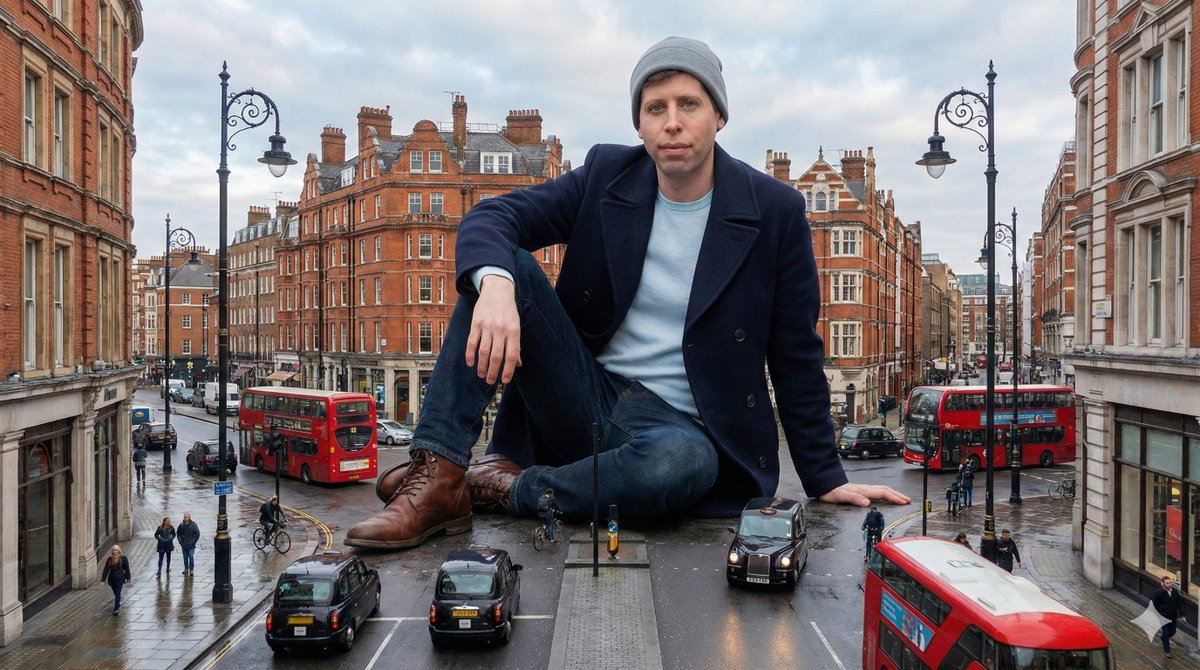
When I first imagined a giant casually sitting across a London street, I knew capturing the surreal scale with photorealistic detail would be a challenge for AI image generators. The prompt described a colossal man wearing a navy overcoat and minimalist beanie, surrounded by tiny cars and classic red-brick buildings under soft overcast light. I ran the same prompt through two AI models: GPT Image 1.5 and Gemini Nano Banana Pro, curious to see how each interpreted the scene.
You can find the full prompt here: ✨Prompt✨
First Impressions: Scale and Atmosphere
GPT Image 1.5 nailed the mood with its soft London daylight and wet cobblestone streets. The giant’s pose felt natural, one knee raised, hand resting, and the textures on his navy overcoat and knit sweater looked convincingly tactile. The tiny vehicles and pedestrians were detailed enough to emphasize his enormity without overwhelming the composition.
In contrast, Gemini Nano Banana Pro offered a sharper, more vibrant interpretation. The red-brick buildings popped with classic London charm, and the lighting felt brighter, though slightly less overcast. The giant appeared a bit more stylized but retained incredible photorealism, especially in the facial features and fabric textures.
Visual Nuances & Prompt Adjustments
What stood out was how prompt phrasing influenced the final images. The phrase "exact face/body from the reference" was crucial for Gemini Nano Banana Pro to maintain a consistent likeness, while GPT Image 1.5 leaned more on atmosphere and subtle lighting. Adjusting terms like "casually sitting" and specifying clothing details helped both models avoid a static or artificial pose.
One lesson here is that even slight prompt tweaks can shift the balance between photorealism and mood—especially in complex urban scenes. This makes understanding your AI tool’s strengths essential for achieving desired results.
How I Use These Prompts Now
For projects requiring a cinematic, immersive vibe, I lean toward GPT Image 1.5’s softer, moodier output. When I want sharper architectural details and a punchier image, Gemini Nano Banana Pro is my go-to. Both benefit from carefully layering clothing and environmental details in the prompt to enhance realism.
Exploring these differences deepened my appreciation for prompt crafting when using text to image AI. It’s not just about feeding the AI a description—it’s about tuning the language to coax out the finest visual nuances.
If you’re diving into urban-scale scenes or any detailed character shots, experiment with prompt adjustments and compare models to discover what works best for your vision.
For more on how to get the most from your AI art creator, check out AI image generator tools and tips on text to image workflows.