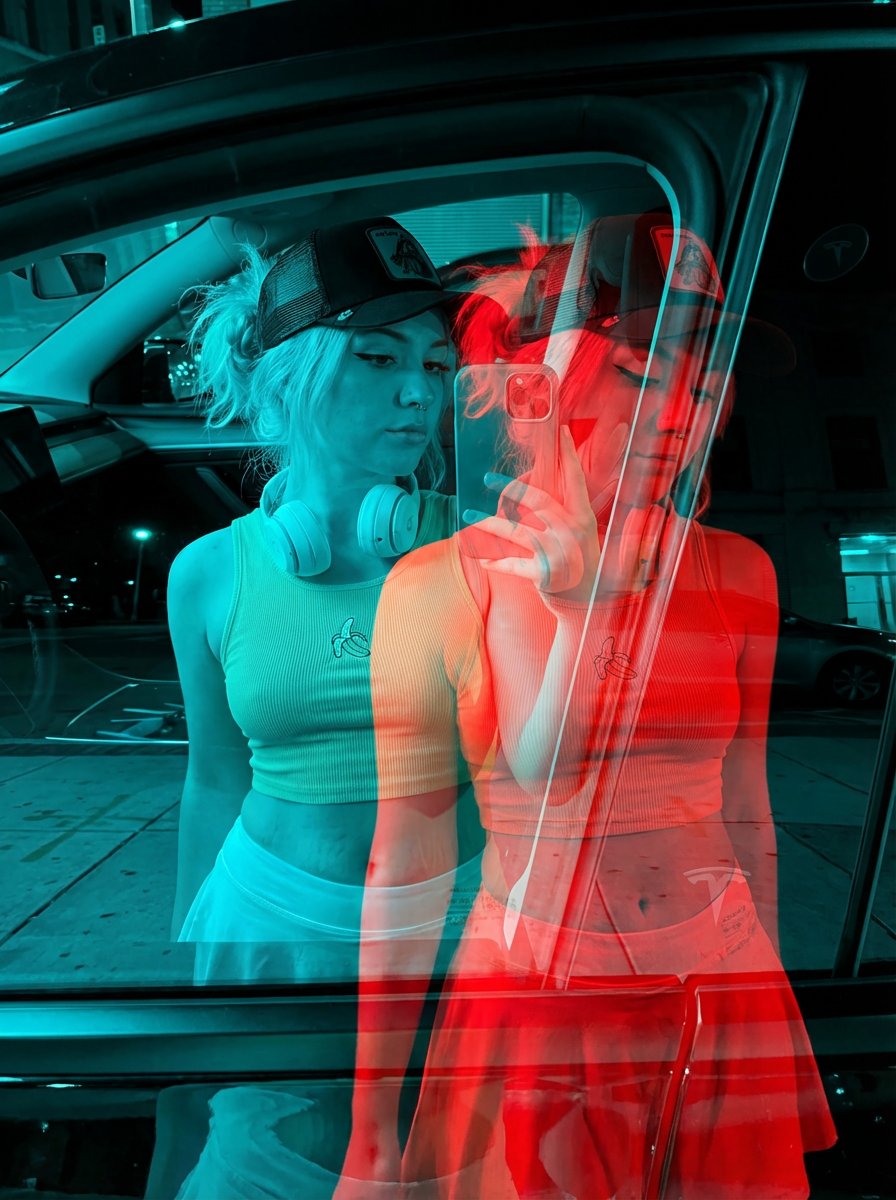
Recently, I dived into an intriguing AI image generation experiment inspired by a prompt called "Nano Banana Pro", originally a Freepik creation. The goal was to create a double-exposure effect using two poses of the same woman, blending them in a red-blue artistic style. This wasn’t just about slapping colors on a photo—it involved capturing subtle shifts in expression and angle to evoke a haunting, ghost-like visual that really draws you in.

You can find the full prompt here: ✨Prompt✨
The process started with a base portrait of the woman, her pose clear and natural. The magic happened when the AI generated a second pose — just a slight difference in her head angle and facial direction, like a silent moment caught just before or after the original. This second pose was tinted red, while the original stayed cyan, and then the layers were offset slightly to create that iconic double-exposure ghosting effect.
What struck me most was how the AI preserved the skin texture and even the tattoos, which often get lost or blurred in these kinds of edits. Maintaining the contrast was key to keeping the image crisp and impactful, while the minimal background helped the two layers stand out without distraction.
Why This Prompt Stood Out
Using AI for this kind of image generation felt like collaborating with a digital artist who can instantly explore variations and subtle emotions. The red-blue color scheme added a surreal, almost cinematic atmosphere, making the portrait feel alive and layered with meaning.
From a practical standpoint, the biggest tip I learned was how important it is to guide the AI clearly on the slight differences between poses, otherwise the double-exposure can look more like a blurry mess than an artistic effect. Playing with the offset distance also changed how dramatic or subtle the ghosting appeared.
Where to Go from Here
If you want to try a similar approach, I recommend experimenting with different color pairings and expressions to see how mood shifts. This prompt by style is a fantastic way to push the boundaries of AI-generated portraiture and add dimension to your visual storytelling.
For those curious about image generation, check out AI image generator tools that support layering and color adjustments. They make exploring text to image effects like this one intuitive and fun.
Whether you’re a creator looking to add unique visuals to your portfolio or just fascinated by how AI can reshape traditional photography, this double-exposure technique is a compelling way to experiment.
Learn more about image generation and how to refine your AI prompt crafting for even better results.
Happy creating!