Why I Tried This Purple Minimalist Wallpaper Style
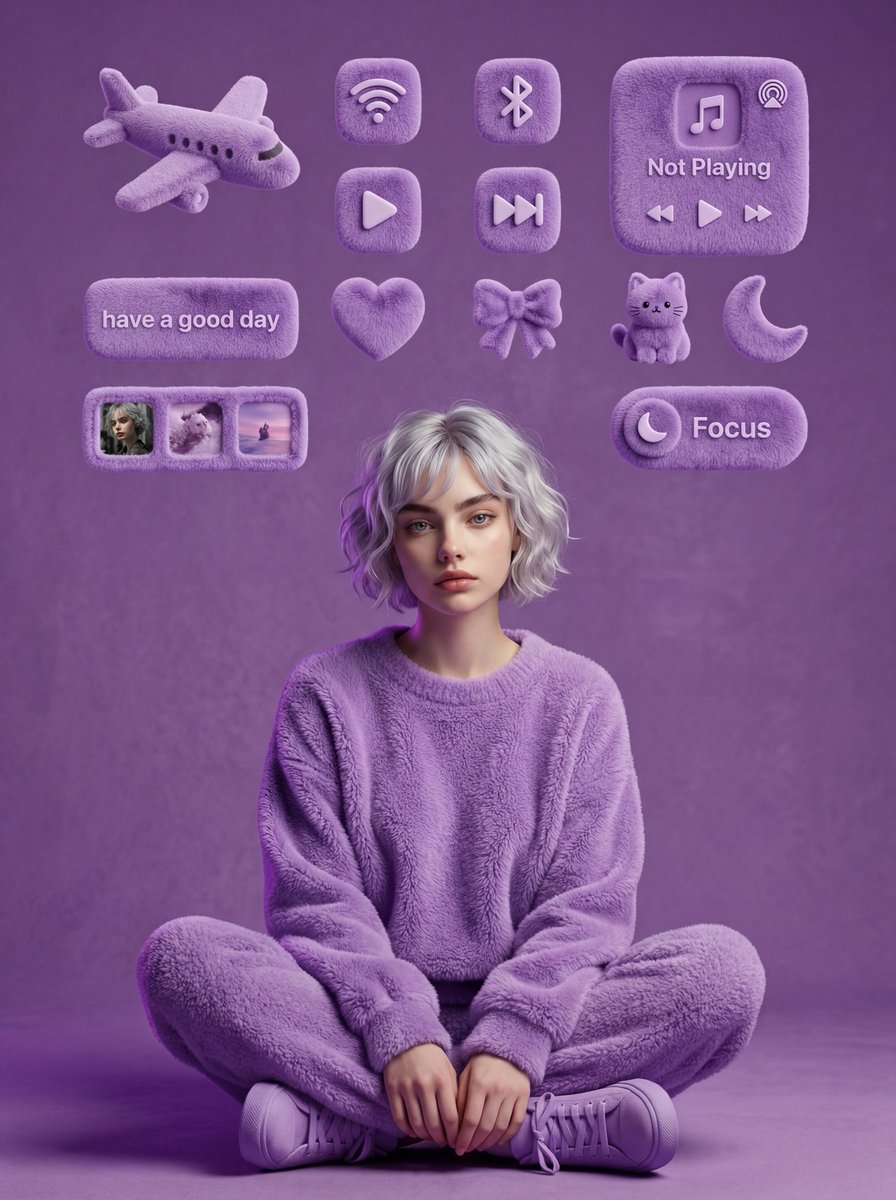
As someone who loves cozy aesthetics and clean visuals, I wanted to see how far I could push a minimalist wallpaper using AI image generation tools, specifically with the Gemini Nano Banana Pro. The goal was to keep a simple yet rich monochrome purple palette and incorporate plush 3D elements that give warmth without clutter.
You can find the full prompt here: ✨Prompt✨
Visual Details That Made This Stand Out
What really drew me in was the combination of soft textures and photorealism. Wearing a fluffy purple sweater and pants, sitting cross-legged with purple sneakers, I stayed true to my exact pose and proportions. The solid textured purple background added a subtle depth without stealing attention.
The floating plush 3D widgets above me—airplane, Wi-Fi, Bluetooth, heart, bow, moon icons, plus a small fluffy cat—felt like tactile, cozy companions rather than just digital symbols. The soft warm studio light with a slight side rim highlighted the textures perfectly, while a shallow depth of field created a smooth bokeh that enhanced the premium feel.
What I Learned About AI Prompting for This Style
Using such a detailed prompt helped me control the scene's mood and visual consistency. I realized prompt adjustments are key: specifying "soft furry texture," "photorealistic," and "high detail" ensured the AI didn’t default to flat or overly graphic outputs. Also, keeping the pose and proportions exact was crucial for personalizing the wallpaper.
One prompt mistake I avoided was overloading the scene with too many elements—which can happen when adding multiple widgets. Balancing the number of plush icons kept the composition clean yet engaging.
How This Changed My Visual Creation Process
Before, I might have tried layering textures manually or relying on stock images. Now, I see the power of combining text to image AI tools with detailed prompts to generate personalized, high-quality wallpapers effortlessly.
If you want to create similar cozy, minimalist visuals, focus on clear, sensory descriptors in your AI prompt and experiment with lighting and texture keywords. This approach really elevates the final image.
For more inspiration on prompt styles, check out this AI art creator resource. It’s a game changer for anyone diving into image generation with AI.