Discovering the Charm of a Playful Female Portrait
Recently, I dove into crafting a hyper-realistic studio portrait of a playful young woman using AI image generation. The initial prompt was already great, but I tweaked it by changing the hair color to black and removing freckles, which gave the image a fresh, polished vibe perfectly suited for my style.
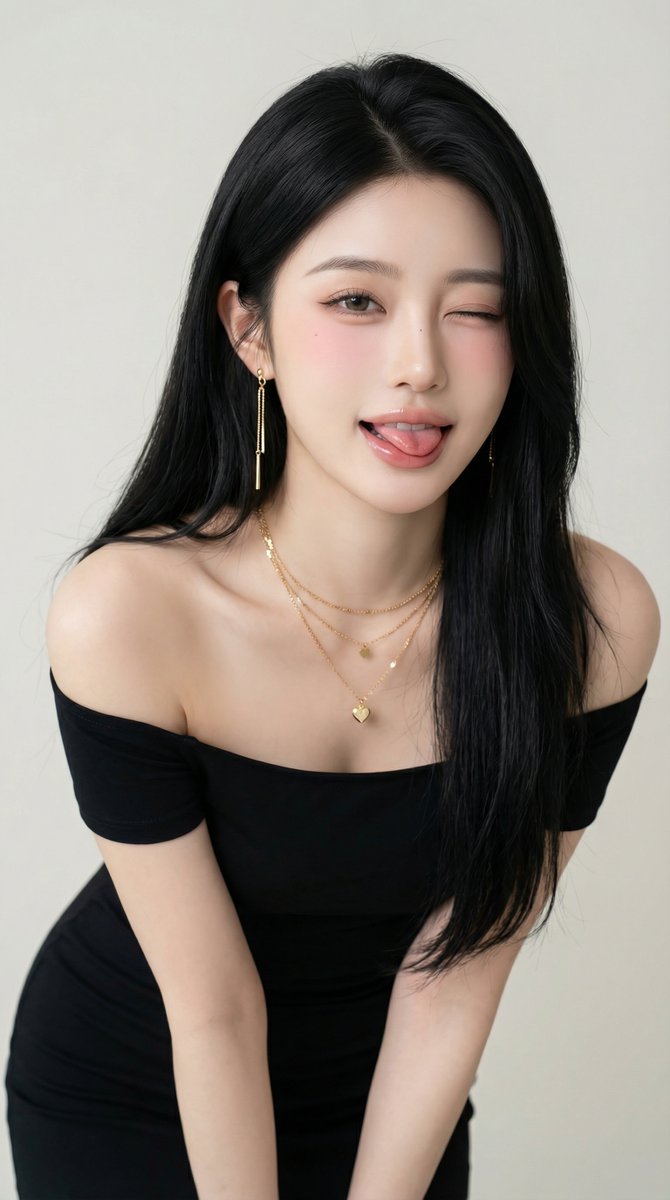
The setup was inspired by a clean, minimalistic studio environment with soft, diffused lighting to highlight natural skin texture and subtle blush. The woman’s pose was slightly leaning forward, engaging directly with the camera, adding that cheeky wink and tongue-out expression that brought the image to life.
Her long black hair, parted on the side and naturally falling over her shoulders, framed her face beautifully. The makeup was soft—gentle pink blush and glossy lips—enhancing her playful yet sophisticated mood. The off-shoulder black dress paired with layered gold jewelry, including dangling earrings and a necklace with tiny heart pendants, gave a chic lifestyle photography feel.
Using a 50mm lens simulation with a wide f/1.8 aperture created a shallow depth of field, making her sharply focused against the light, neutral-toned background. The result was a high-resolution, ultra-detailed image that feels both authentic and fashion-forward.
This experience taught me the importance of prompt adjustments, like hair color and skin details, to tailor AI-generated portraits exactly how I envision them. For anyone working with text to image tools, small tweaks can massively impact the final mood and realism.
You can find the full prompt here: ✨Prompt✨
For more about AI art creation and image generation tips, check out AI image generator and AI art creator resources.