Trying Two AI Models on Angewomon’s K-pop Idol Portrait
As someone who loves combining pop culture with hyper-realistic visuals, I recently dove into a head-to-head comparison of two AI image generators: Grok Imagine and Nano Banana Pro. Using a detailed prompt centered on Angewomon from Digimon reimagined as a young K-pop idol, I wanted to see how each model interpreted this unique concept.
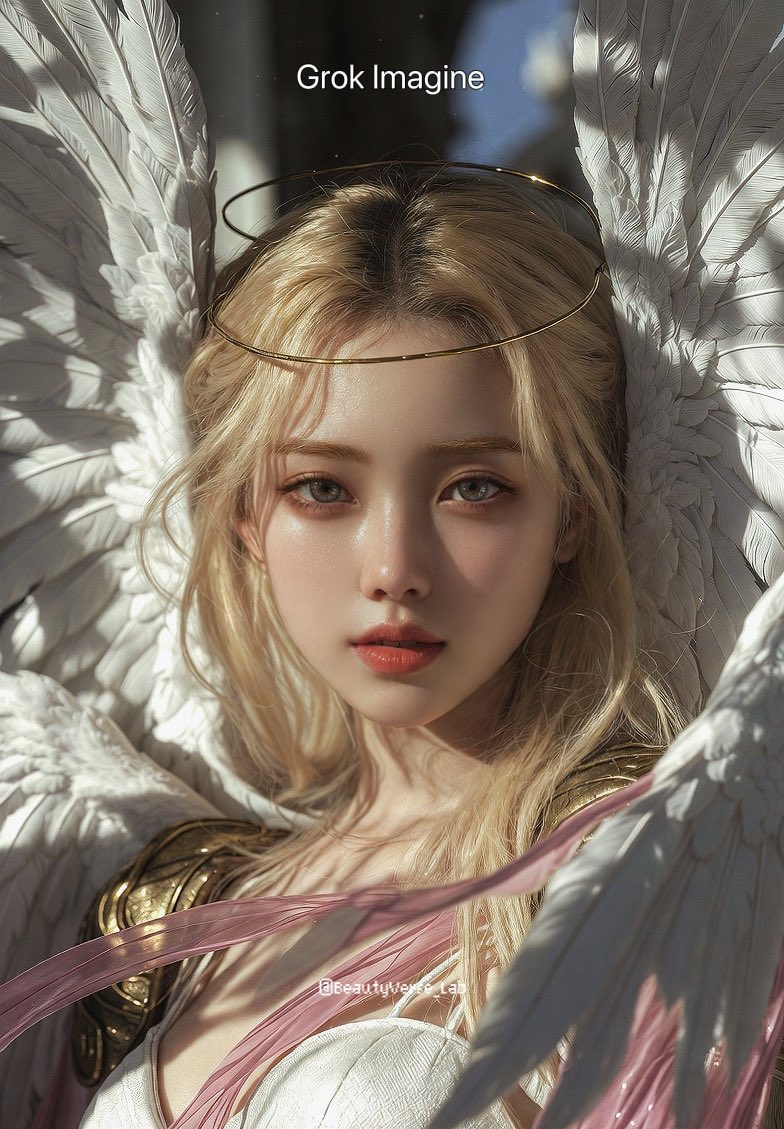
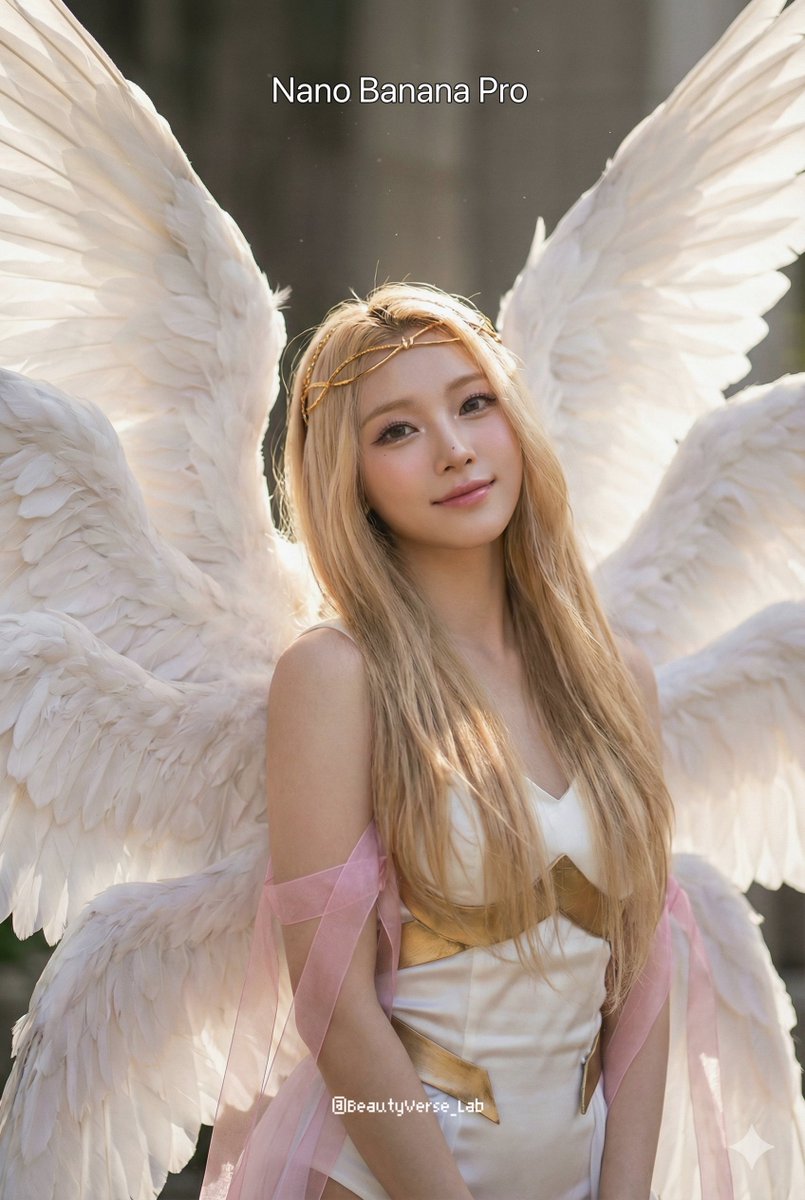
The prompt called for a hyper-realistic editorial portrait featuring Angewomon’s delicate feminine features fully revealed — no mask, just a thin golden circlet. Her long blonde hair was described with natural flyaways, paired with eight massive white feathered wings detailed with subsurface scattering, and a white silk-textured bodysuit accented by brushed gold armor and flowing translucent pink ribbons. The lighting was meant to be soft Rembrandt style with natural sunlight filtering through volumetric dust motes, captured with an 85mm lens at f/1.8 in 8k resolution.
What fascinated me was how each AI handled the nuances of the prompt. Grok Imagine rendered Angewomon with a polished, almost ethereal glow. The skin texture felt dewy and soft, eyes were mesmerizing and focused, and the golden circlet looked delicately crafted. The wings appeared voluminous with excellent feather detail that caught the light beautifully, creating a sense of depth and realism. The translucent ribbons had a subtle flow that added movement to the portrait.
On the other hand, Nano Banana Pro’s interpretation leaned into a slightly more dynamic and textured style. The facial features maintained the softness but with a bit more contrast and sharper eye detail, which gave Angewomon a confident, almost magnetic presence. The wings were anatomically impressive but had a slightly more painterly quality, which I personally found artistic. The lighting was warmer, emphasizing the golden tones in the armor and the ribbons, making the image feel more vibrant.
Prompt and Model Insights
- Both models captured the soft Rembrandt lighting and natural sunlight beautifully, though Nano Banana Pro’s warmth stood out more.
- Feather details and subsurface scattering were more photorealistic in Grok Imagine’s output.
- Skin texture was delicately smooth in Grok but had more character in Nano Banana Pro.
- Prompt adjustments for finer hair flyaways improved results on both after a few iterations.
- Be mindful of complexity in wing anatomy; some AI models can blur details if the prompt is too dense.
For creators looking to use AI for character portraits, this comparison highlights how prompt tweaks and model choice heavily influence your final image. Both Grok Imagine and Nano Banana Pro have strengths, and depending on whether you want ultra-photorealism or a slightly stylized vibrancy, you might lean towards one or the other.
If you’re experimenting with your own text to image creations, I’d recommend starting with a clear, detailed AI prompt like this one and then iterating based on what you want to emphasize — be it lighting, texture, or mood.
You can find the full prompt here: ✨Prompt✨
For those curious about exploring AI art further, check out AI image generator tools that offer different models and styles. Whether you want to create stunning visuals from text or refine your prompt crafting skills, these platforms provide great options.
Also worth exploring are resources on text to image techniques and how to use prompt engineering effectively for better results. The right image generation approach can transform your creative vision into breathtaking art.
Finally, for more inspiration on AI art, see how various AI art creator communities share and evolve prompts for different characters and aesthetics.